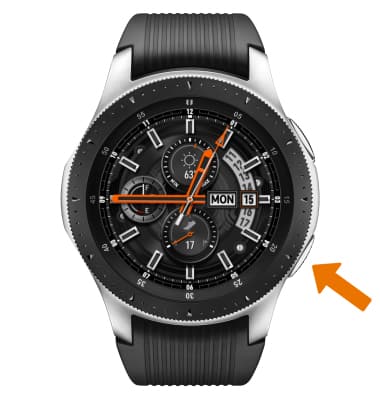
- ACCESS ACCESSIBILITY FEATURES: From the clock screen, press the Power/Home button.
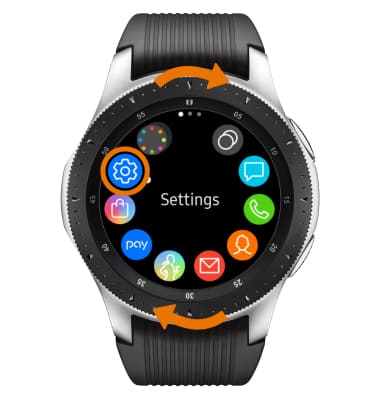
- Rotate the bezel to and select the Settings app.
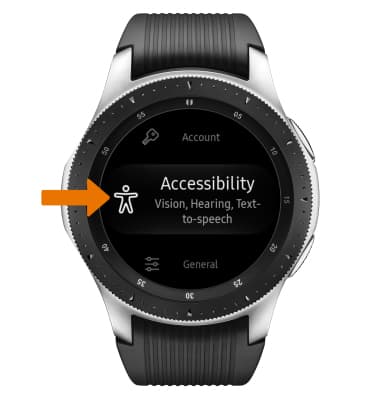
- Scroll to and select Accessibility.
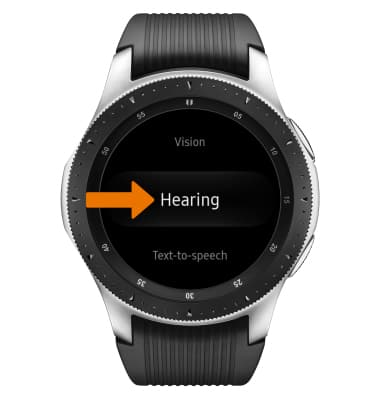
- ACCESS HEARING OPTIONS: From the Accessibility screen, scroll to and select Hearing.
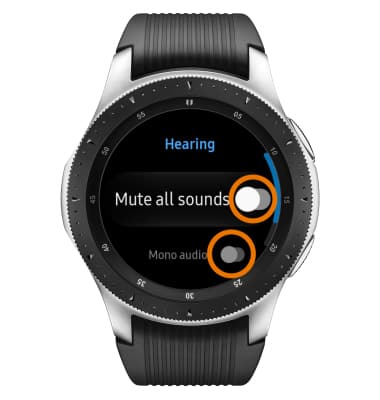
- Select the Mute all sounds switch to mute the device. Select the Mono audio switch to switch the audio to mono while using one earphone.
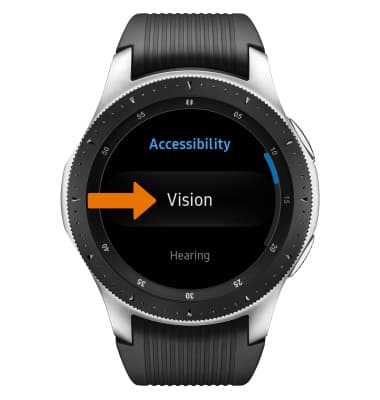
- ACCESS VISION OPTIONS: From the Accessibility screen, select Vision.
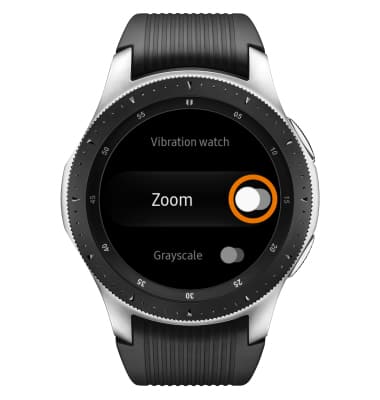
- Vision accessibility features include Screen reader (uses Voice Assistant), Dark screen, Zoom, Grayscale, and Negative colors. Scroll to and select the desired vision feature switch to enable or disable the feature.
Accessibility
Samsung Galaxy Watch (R805U/R815U)
Accessibility
Accessibility features allow you to improve the usability of your device for users affected by impaired vision or hearing.
INSTRUCTIONS & INFO