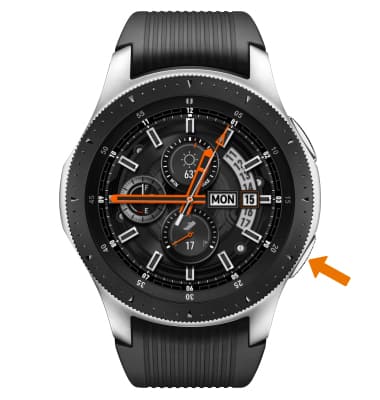
- TURN ON BLUETOOTH: From the clock screen, press the Power/Home button.
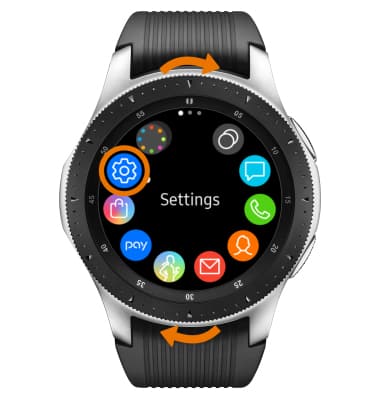
- Rotate the bezel to and select the Settings app.
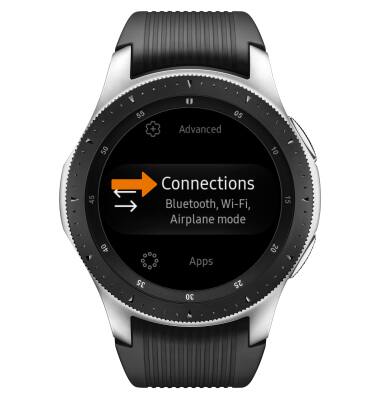
- Scroll to and select Connections.
- Select Bluetooth.
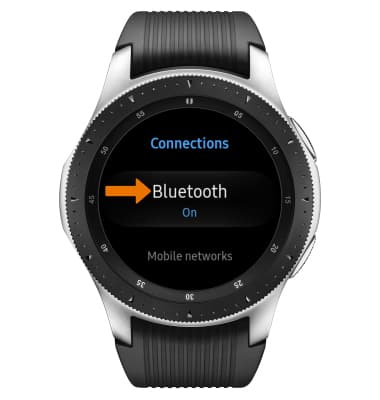
- Select the Bluetooth switch to turn Bluetooth on or off.
Note: To optimize battery life, turn Bluetooth off when not in use.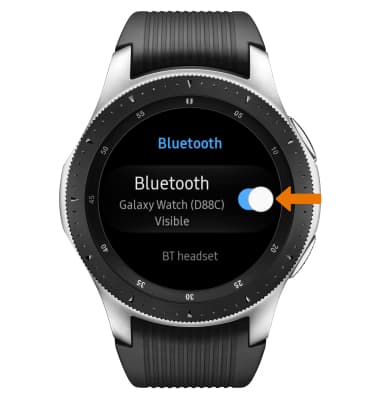
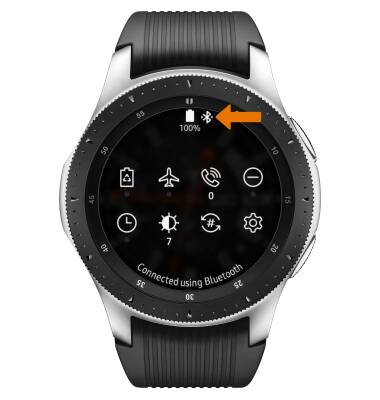
- When Bluetooth is on, the Bluetooth icon will display in the Moments bar.
- SCAN FOR BLUETOOTH DEVICES: Select Connections > Bluetooth > BT headset.
Note: Bluetooth will automatically scan for devices.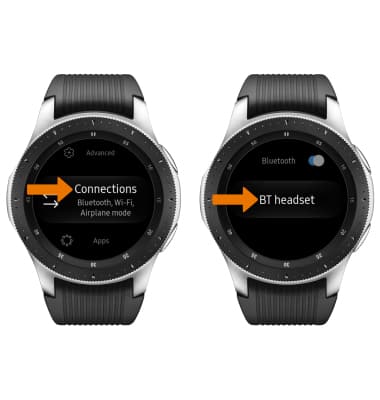
- CONNECT TO A BLUETOOTH DEVICE: Select the desired device.
Note: You may be prompted to enter a passcode (common default passcode is 0000).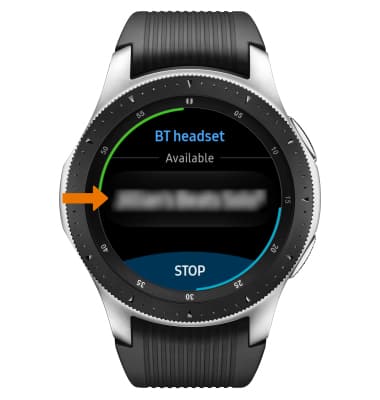
- UNPAIR DEVICE: Select the Settings icon.
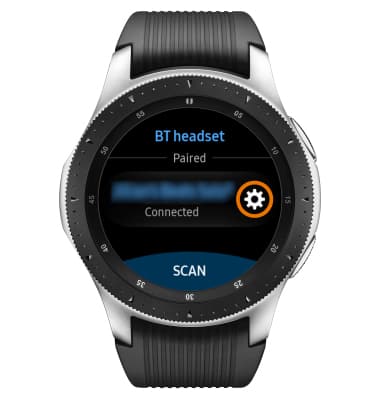
- Select Unpair.
Note: If having trouble pairing/unpairing your device with your vehicle, please refer to your vehicle's user manual for additional information.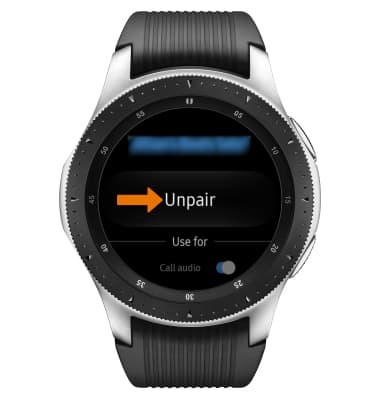
Bluetooth
Samsung Galaxy Watch (R805U/R815U)
Bluetooth
Turn Bluetooth on or off, scan and connect to other Bluetooth devices, and unpair a connected device.
INSTRUCTIONS & INFO