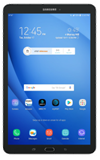
- ACCESS THE KEYBOARD: Select a Text entry field.
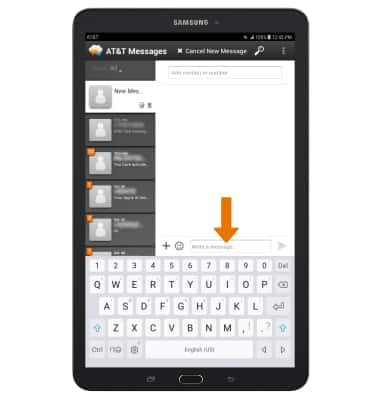
- ACCESS SYMBOLS: Select the Symbols key. USE SPEECH-TO-TEXT: Select the Customizable key and begin speaking your desired message. CAPITALIZE TEXT: Select the Shift key to capitalize the next letter. Double-tap the Shift key to enable or disable caps lock.
Note: The Customizable key will default to the microphone. To change the function, select and hold the Customizable key then select the desired function.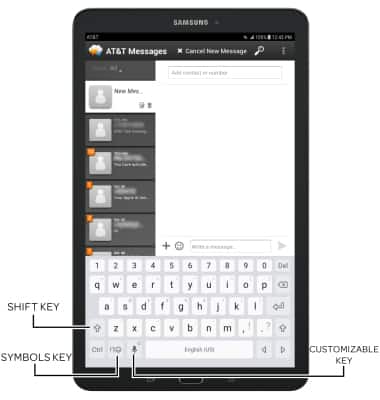
- EMOJIS: Select and hold the Customizable key, then select the Emojis key.
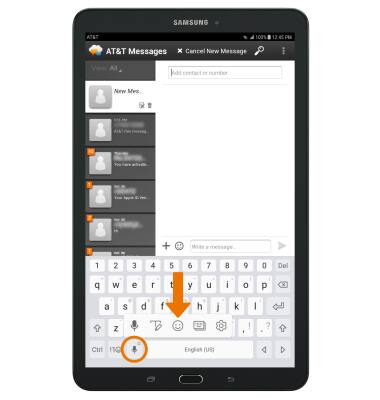
- To return to the alphabet, select the Keyboard key.
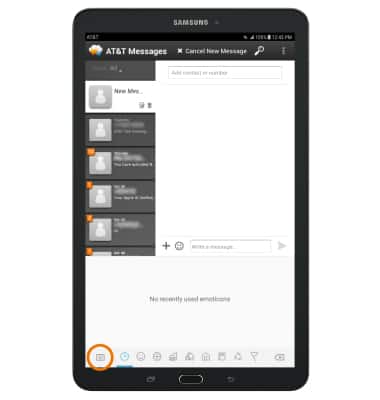
- SWYPE: Select and drag across each letter of the desired word without removing your finger from the screen.

- COPY & PASTE TEXT: Select and hold the desired text. Select and drag the Text selection handles to highlight the text you wish to copy. Select COPY.
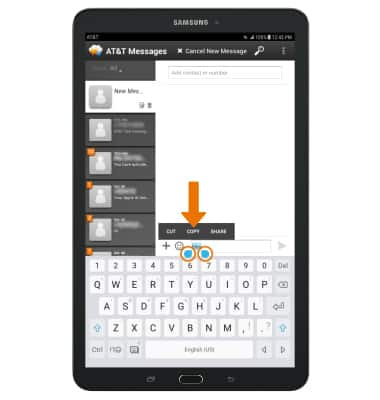
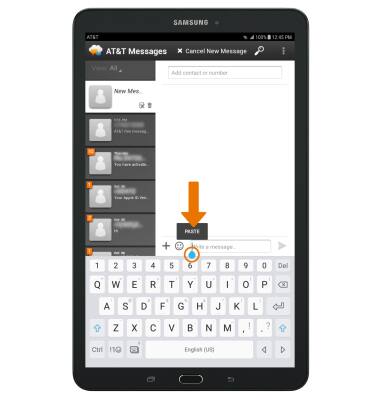
- Select and hold the desired text field to place the cursor, then select PASTE.
- ACCESS KEYBOARD SETTINGS: Select and hold the Customizable key, then select the Settings key.
Note: To access additional Keyboard settings, swipe down from the Notification bar > select the Settings icon > General management > Language and input > edit settings as desired.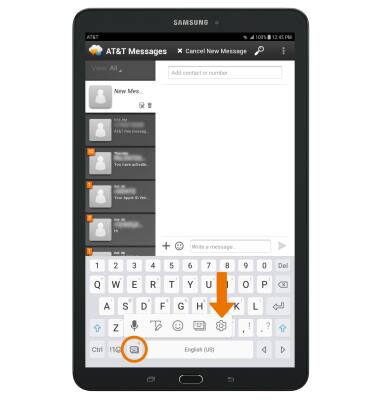
Keyboard & Typing
Samsung Galaxy Tab E 8.0 (T377A)
Keyboard & Typing
Cut and paste, use speech-to-text, and access keyboard settings.
INSTRUCTIONS & INFO