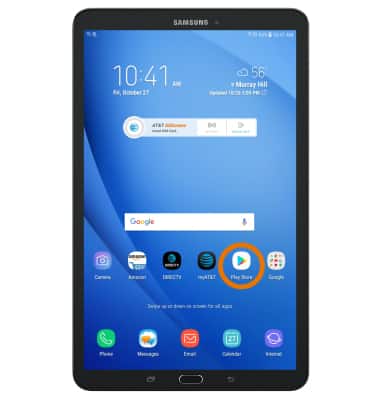
- From the home screen, select the Play Store app.
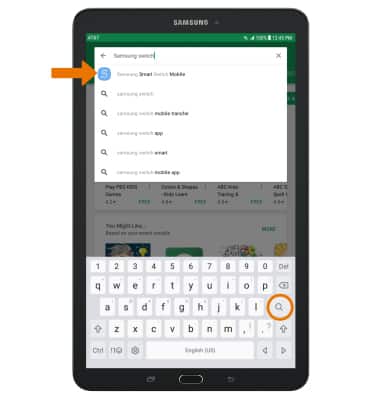
- Search for and select the Samsung Smart Switch Mobile app.
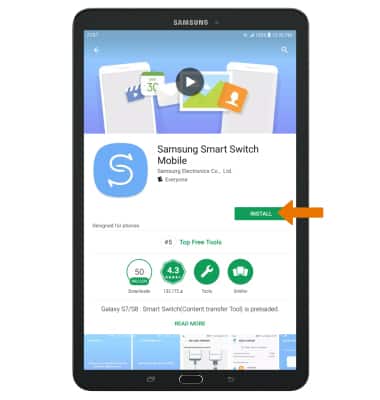
- Select INSTALL.
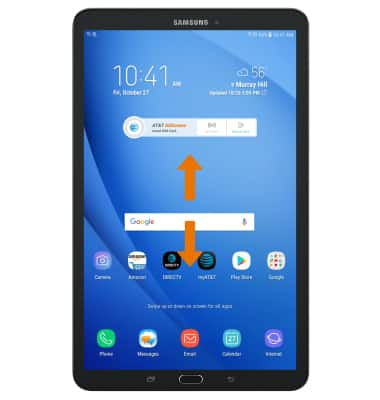
- Swipe up or down from the center of the home screen to access the Apps tray.
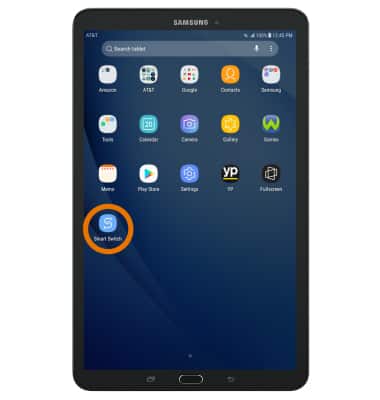
- Select the Samsung Smart Switch Mobile app.
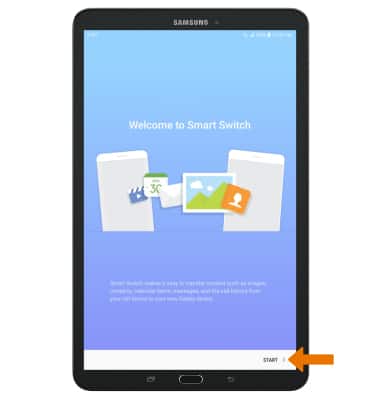
- Select START.
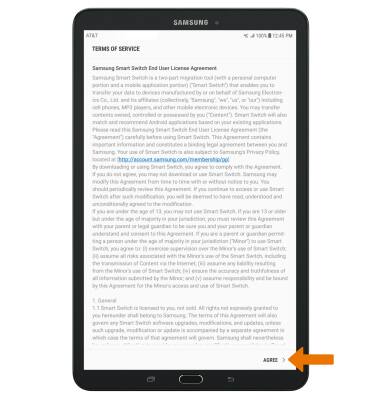
- Review the Terms of Service, then select AGREE.
- Select USB CABLE or WIRELESS.
Note: For this demonstration, WIRELESS was selected.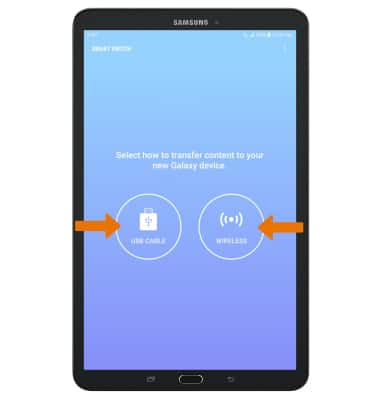
- On the new device, select RECEIVE.
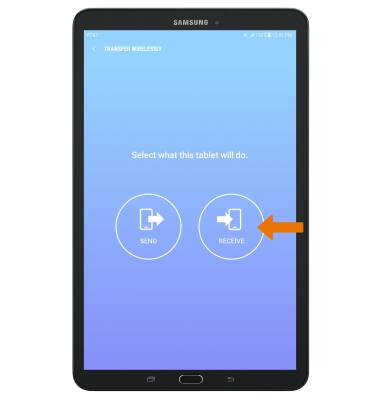
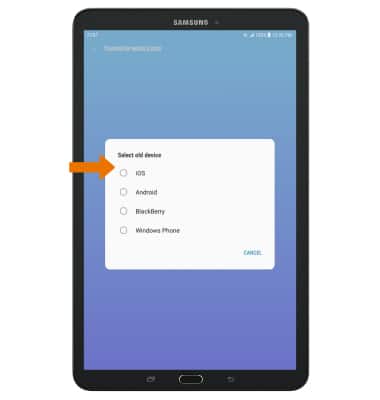
- Select your old device type.
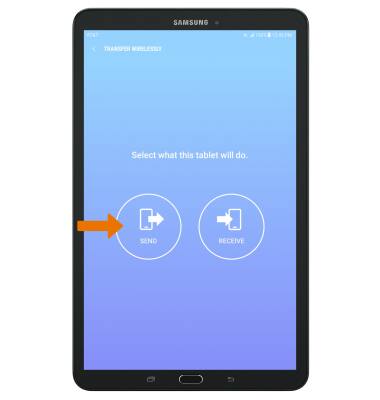
- Make sure that Smart Switch is installed on the old device. Select SEND.
- Select CONNECT.
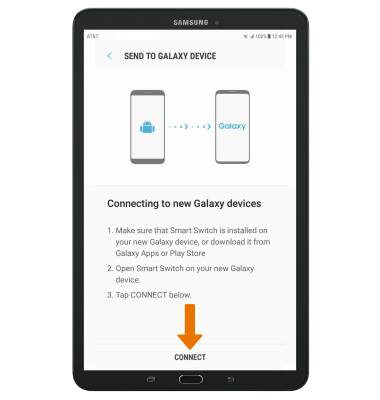
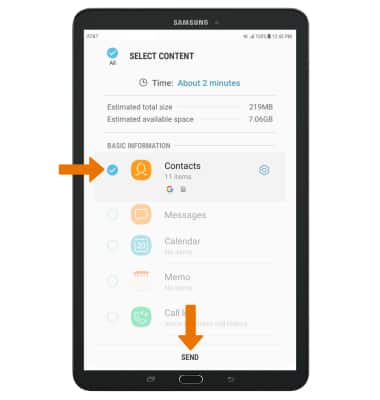
- The devices are now connected. On the old device select the desired content you would like to transfer, then select SEND.
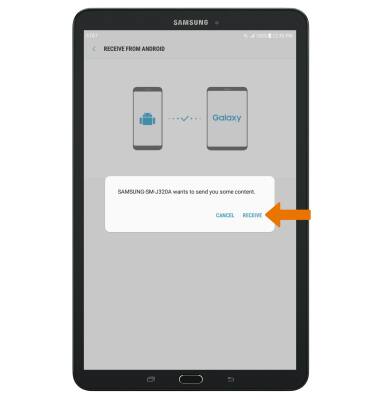
- Select RECEIVE on the new device.
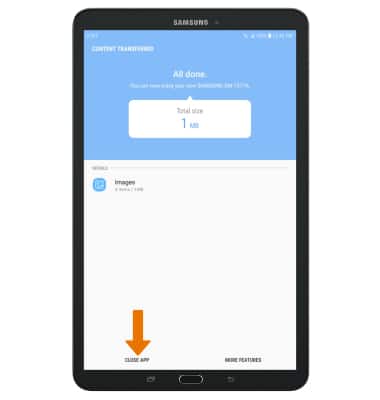
- Select CLOSE APP when the content transfer is complete.
Samsung Smart Switch Mobile
Samsung Galaxy Tab E 8.0 (T377A)
Samsung Smart Switch Mobile
Transfer your data and apps from your old device to your new one
INSTRUCTIONS & INFO