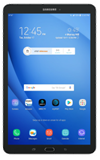
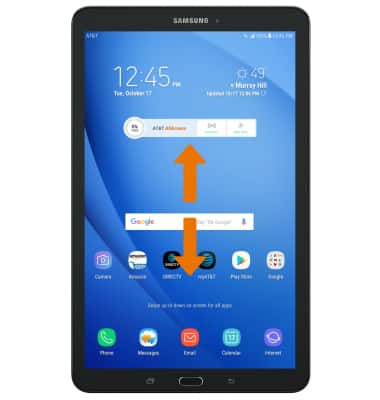
- ACCESS FILES: From the home screen, swipe up or down to access the Apps tray.
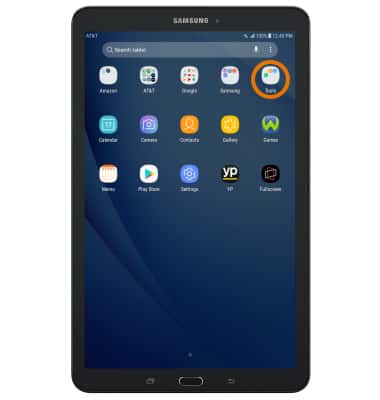
- Select the Tools folder.
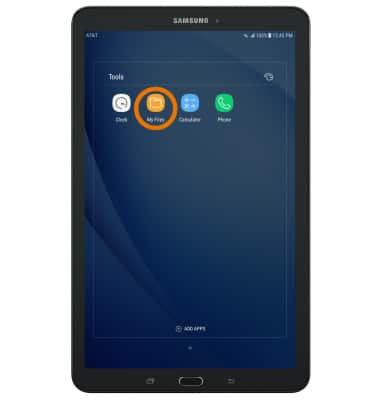
- Select the My Files app.
- Select the desired category to view files.
Note: For this demonstration, Images was selected.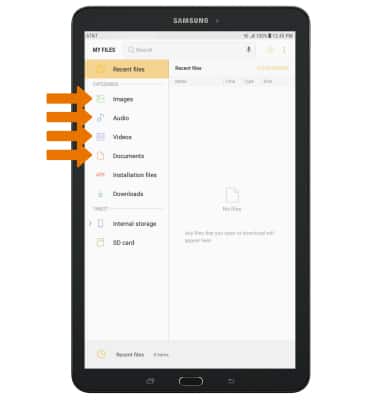
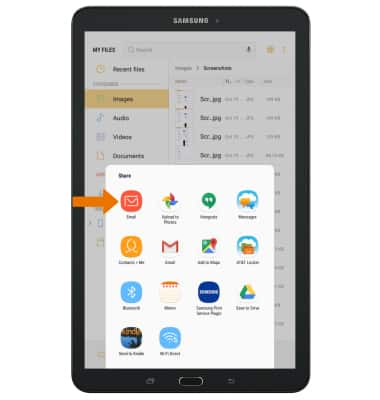
- SHARE FILES: Select and hold the desired file, then select SHARE.
Note: To share multiple files, after select and hold a desired file then select the checkbox next to the additional desired files to share. Select SHARE.
- Select the desired sharing method, then follow the prompts.
My Files
Samsung Galaxy Tab E 8.0 (T377A)
My Files
Use My Files to open and manage downloaded and device created files.
INSTRUCTIONS & INFO