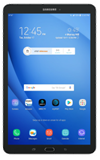
- VIEW AVAILABLE MEMORY: Swipe down from the Notification bar, then select the Settings icon.
Note: This device is availble with 16GB of internal memory and the option to add a MicroSD card up to 128GB (sold separately).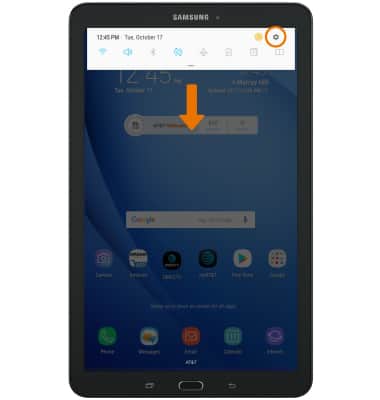
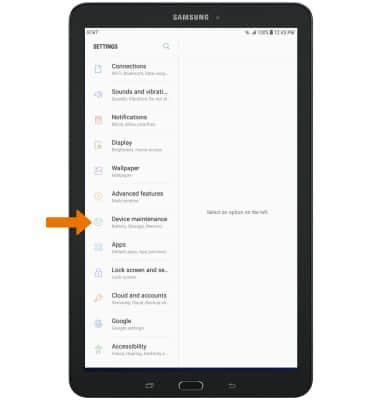
- Select Device maintenance.
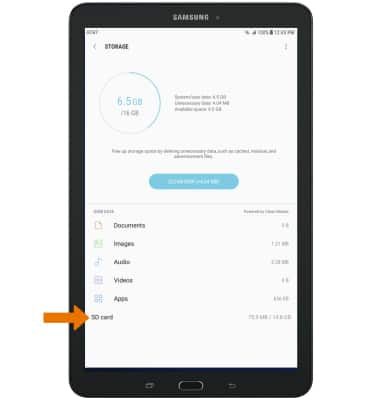
- Select Storage.
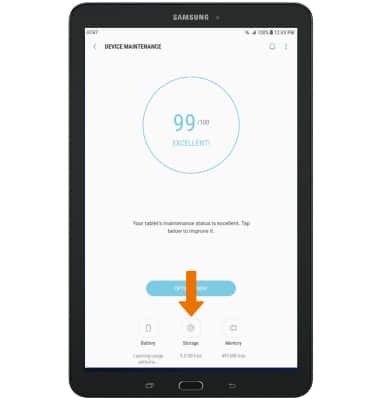
- VIEW MEMORY CARD STORAGE: Select SD card.
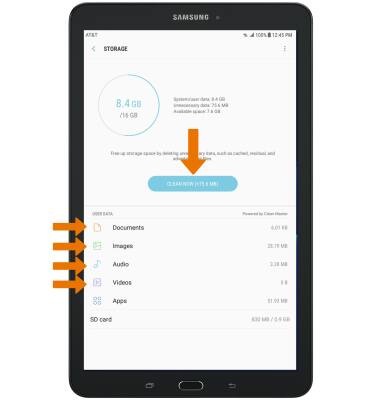
- FREE UP MEMORY: Select CLEAN NOW or delete unwanted Documents, Images, Audio and Videos by selecting the desired field from the Storage screen.
- Select the desired photo(s), then select DELETE.
Note: For this demonstration, Images was chosen. You will be prompted to select DELETE again to confirm.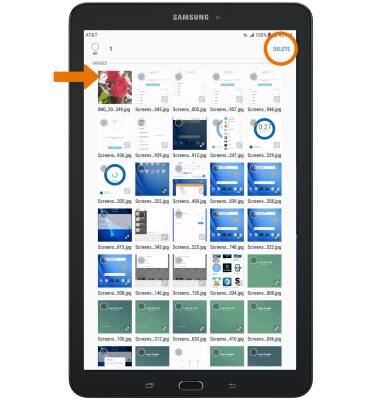
- REMOVE UNUSED APPS: From the Storage screen, select Apps.
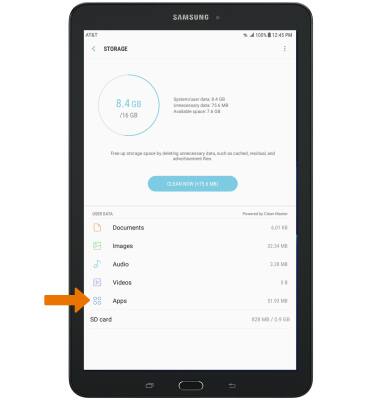
- Installed apps will be displayed. Select the desired app you would like to uninstall.
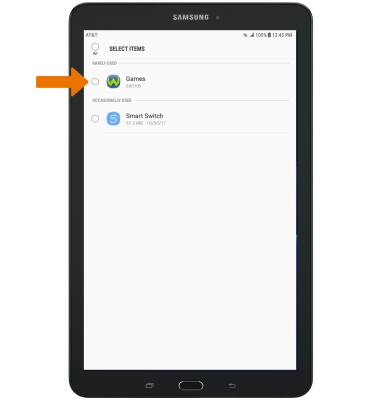
- Select UNINSTALL.
Note: You will be prompted to select OK to confirm.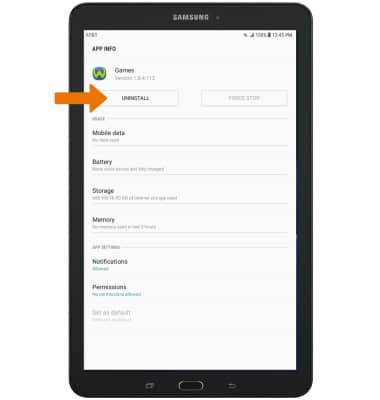
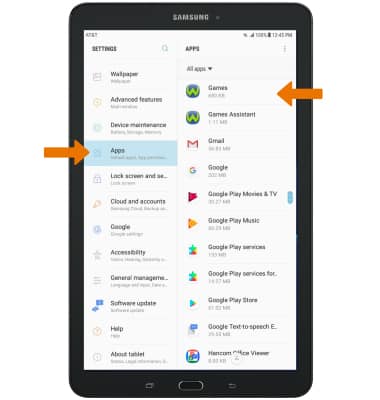
- CLEAR APP DATA/APP CACHE: From the Settings screen, select Apps then select the desired app.
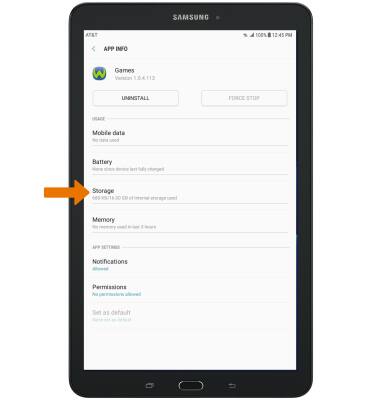
- Select Storage > CLEAR DATA or CLEAR CACHE.
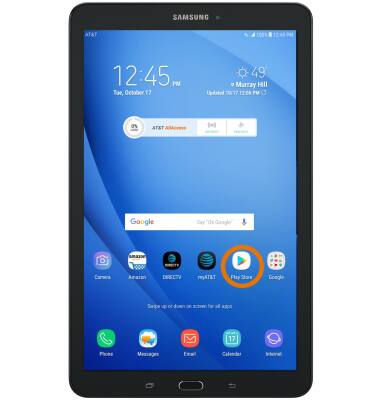
- ADDITIONAL STORAGE: Purchase an SD card or download a Cloud storage app from the Play Store.
Available Memory
Samsung Galaxy Tab E 8.0 (T377A)
Available Memory
Check the available device storage.
INSTRUCTIONS & INFO