
In this tutorial you will learn how to:
• Access camera modes and filters
• Customize photo and video settings
• Turn shutter sound on/off
• Crop a photo
Access camera modes and filters
From the Camera app, swipe left to access modes such as Pro and Panorama and Continuous shot.
Note: Pro allows you to manually adjust settings such as ISO, shutter speed and exposure levels. Panorama allows you to create wider photos by stitching together multiple photos. Continuous shot allows you to select and hold the capture icon to take pictures continuously. 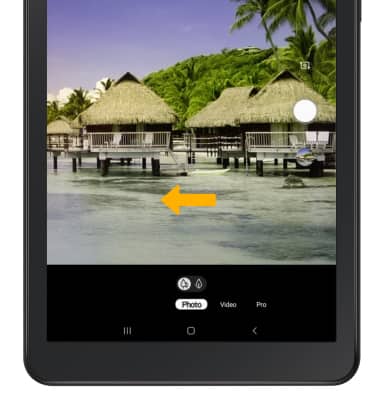
To access filters, select the Filters icon then select the desired filter.
Note: Filters are not available in some camera modes.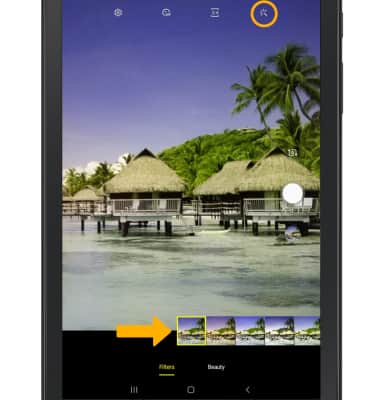
Customize photo and video settings
From the Camera app, select the  Settings icon then edit settings as desired.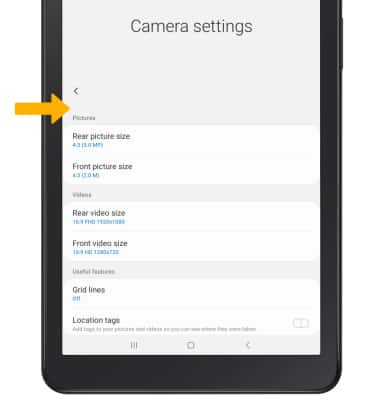
Turn shutter sound on/off
From the Camera settings screen, scroll to and select the Shutter sound switch.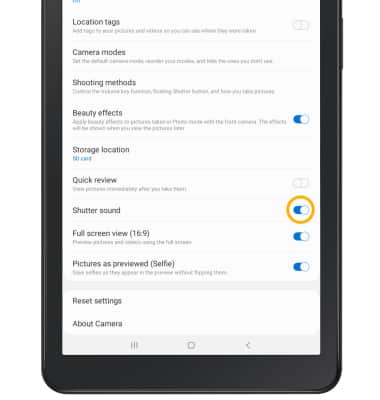
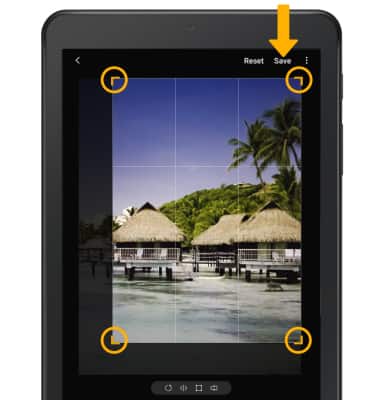
Crop a photo
Note: Alternately, from the home screen select the Gallery app then navigate to and select the desired photo.
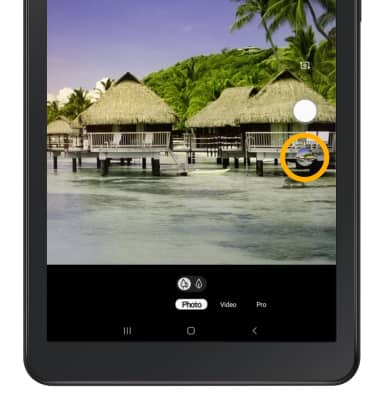
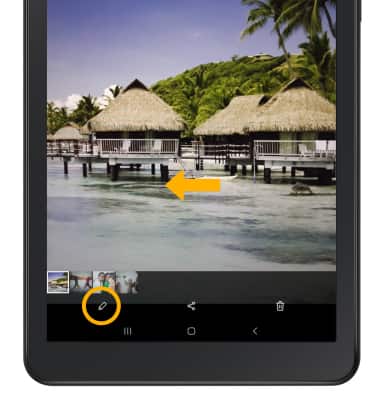
2. Swipe left to the desired photo, then select the Edit icon.