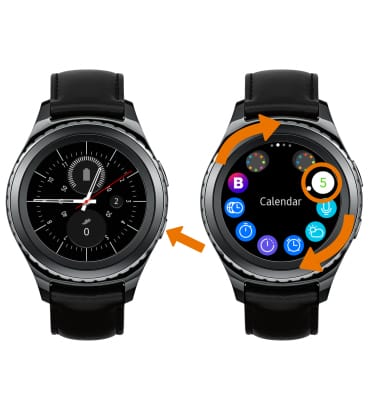
- ACCESS CALENDAR: From the clock screen, press the Power/Home button. Rotate the bezel to and select the Calendar app.
- VIEW UPCOMING EVENTS: Select the date screen to view events. Swipe left or right to change the displayed month.
Note: You can only create, edit, or delete events through your paired device.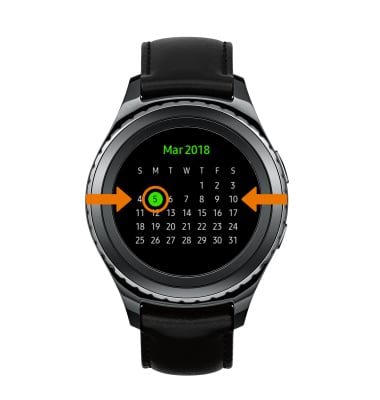
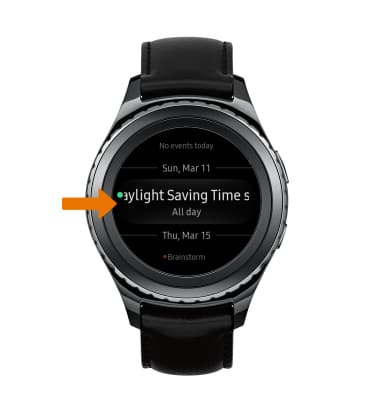
- Scroll through all upcoming events.
Calendar
Samsung Gear S2 classic (R735A)
Calendar
Access the calendar and view events.
INSTRUCTIONS & INFO