- BLOCK: From the paired device's home screen, select the Messages app. Select the Menu icon, then select Settings.
Note: Message blocking is performed on the device paired with the Gear S2 Classic. Blocking information is synced between the paired device and the Gear S2 Classic.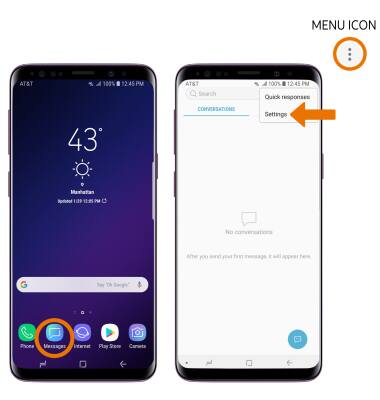
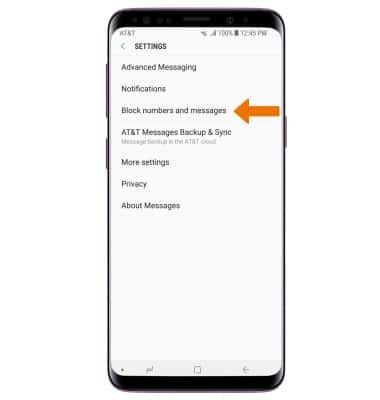
- Select Block numbers and messages.
- Select Block numbers.
Note: To view blocked messages, select Blocked messages.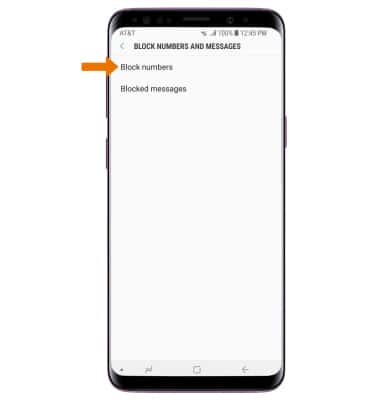
- Enter the desired phone number, then select the Add icon.
Note: Select INBOX to block a number from your messages inbox. Select CONTACTS to block a number from your contacts.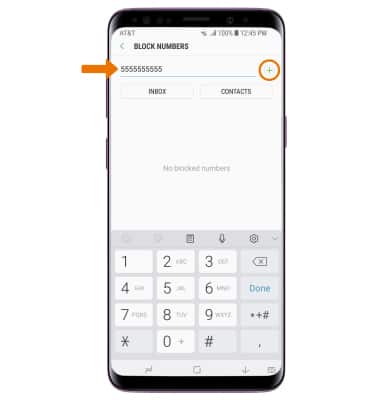
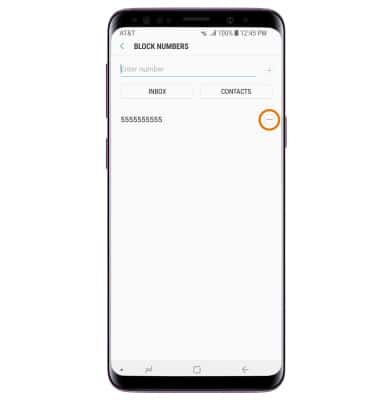
- UNBLOCK: To remove a number, select the Remove icon next to the desired number you would like to remove.
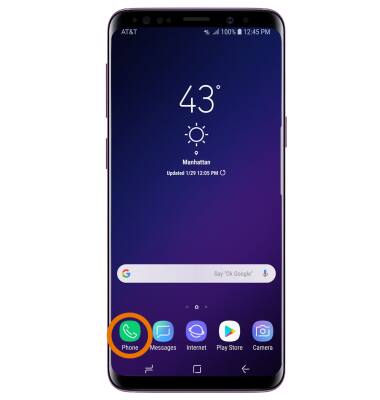
- BLOCK FROM THE CALL LOG: From the home screen, select the Phone app.
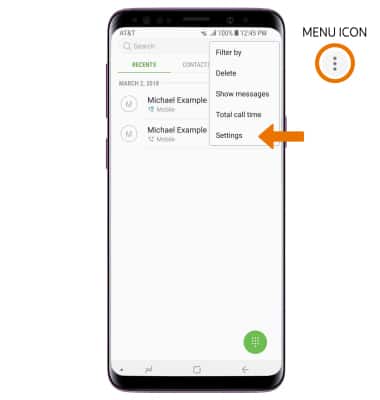
- Select the Menu icon, then select Settings.
- Select Block numbers. Enter the desired number to block, or select the Contacts icon to select a number from your contacts.
Note: Select the Block unknown callers switch to block anonymous calls and messages. When a call is blocked, it is routed directly to voicemail. The call blocking feature may not affect phone calls made or received via third-party apps installed on your device. Please contact third-party app developers for assistance with such applications.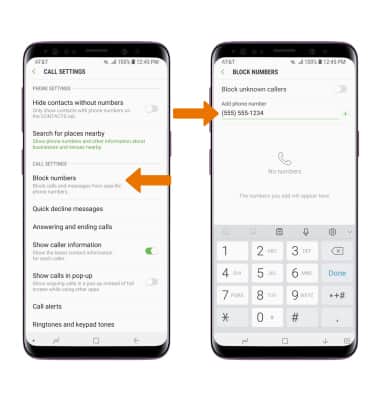
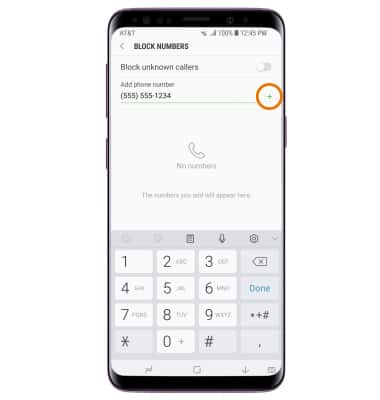
- Select the Add icon.
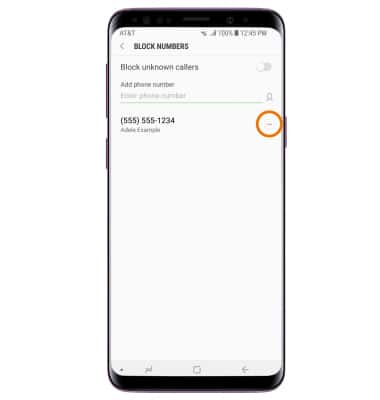
- UNBLOCK FROM THE CALL LOG: Select the Remove icon next to the desired number to unblock.
Block Messages
Samsung Gear S2 classic (R735A)
Block Messages
Block messages from your device.
INSTRUCTIONS & INFO