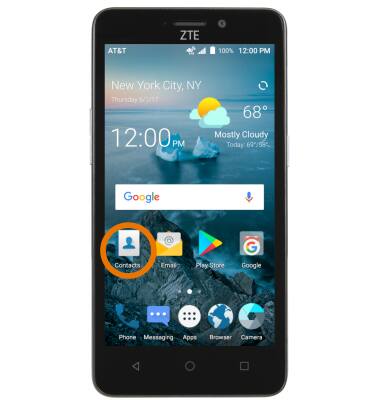
- ACCESS YOUR CONTACTS: Select the Contacts app.
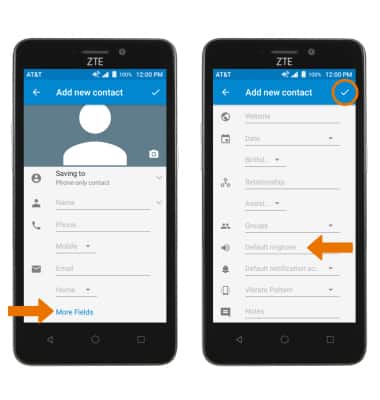
- CREATE CONTACT: Select the Add icon.
Note: Upon first access, you will be presented with a sync prompt. Select the desired account.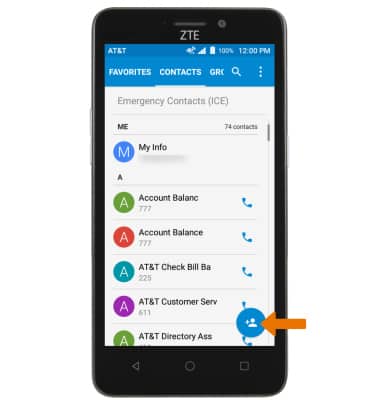
- Enter the desired contact information in the corresponding fields. To add a picture, select the Photo icon then navigate to the desired image.
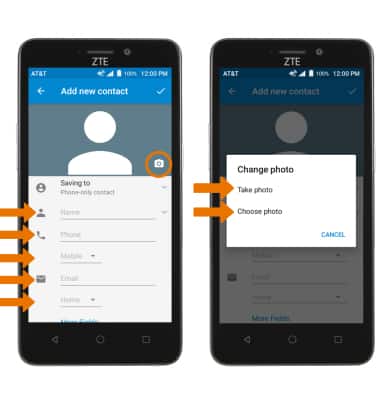
- ADD RINGTONE: Select More Fields. Select Default ringtone > select desired Ringtone > OK. When you are finished creating your new contact, select the Checkmark icon.
- EDIT A CONTACT: Select the desired contact, then select the Edit icon.
Note: When you are finished editing your contact, select the Save icon.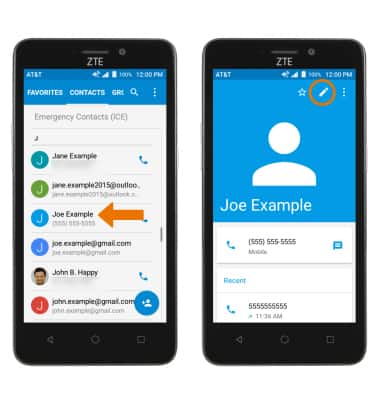
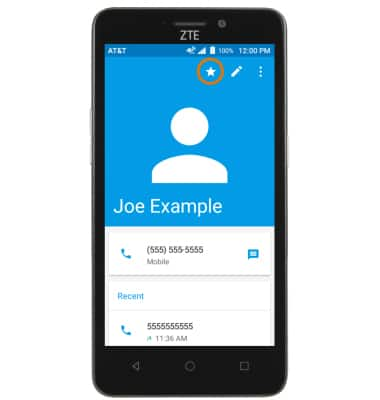
- ADD OR REMOVE A CONTACT FROM SPEED DIAL FAVORITES: Select the Favorites icon.
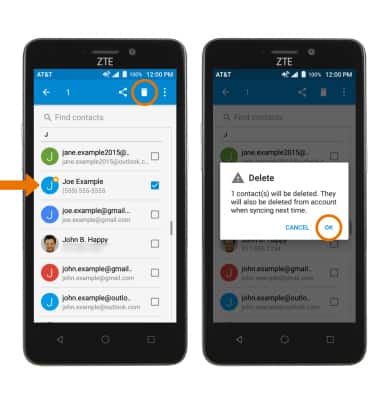
- DELETE ONE OR MORE CONTACTS: Select and hold the desired Contact. Select any additional Contacts, then select the Delete icon. Select OK to confirm.
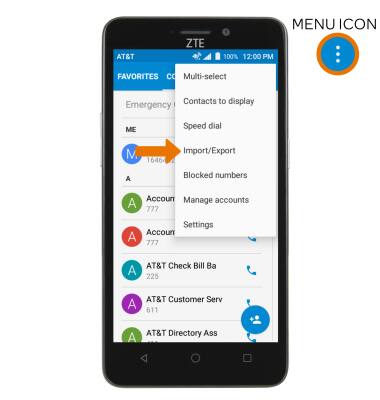
- BACKUP CONTACTS: From the contacts list, select the Menu icon then select Import/Export.
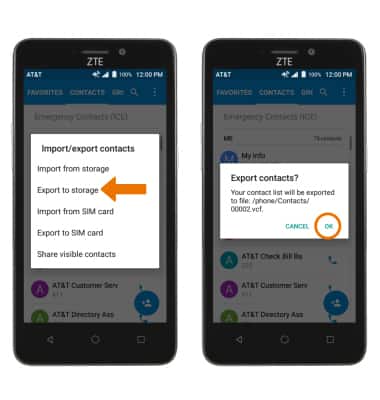
- Select Export to storage, then select OK.
Contacts
ZTE Maven 2 (Z831)
Contacts
Add, view, delete, and customize contacts by adding a picture or ringtone.
INSTRUCTIONS & INFO