
- From the home screen, select the Microphone icon.
Note: You can also say "OK Google" on any screen to access voice control. If you are not signed into your Google account, you will be prompted to sign in.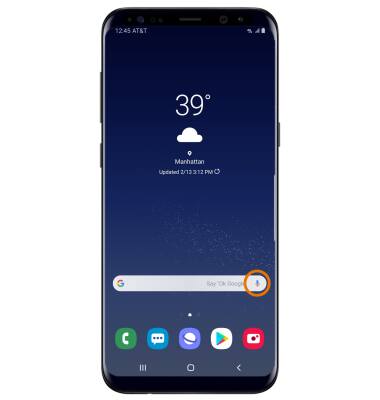
- SEARCH BY VOICE: Say the desired search term(s) when "Listening..." is on-screen.
Note: You can use your voice to do things like search, get directions, create reminders, identify a song, send a text message, and call a friend. For example, say "Ok Google, do I need an umbrella tomorrow" to see if there's rain in the weather forecast.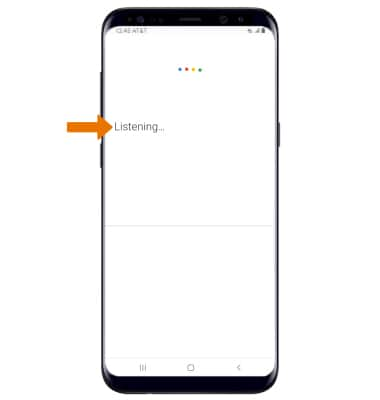
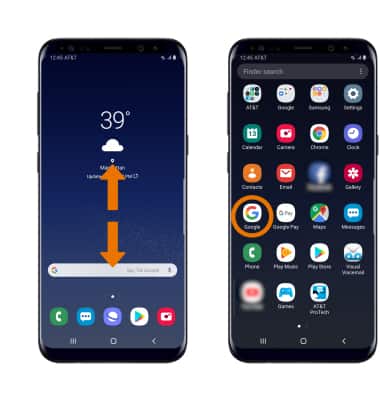
- CHANGE VOICE COMMAND SETTINGS: From the home screen, swipe up or down from the center of the screen to access the Apps tray then select the Google app.
- Select More, then select Settings.
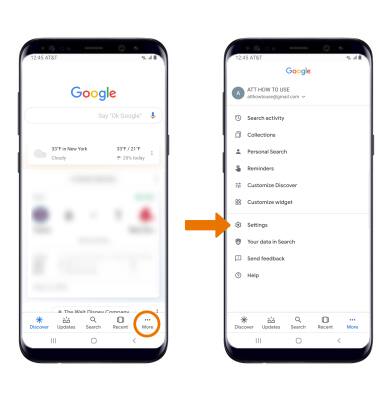
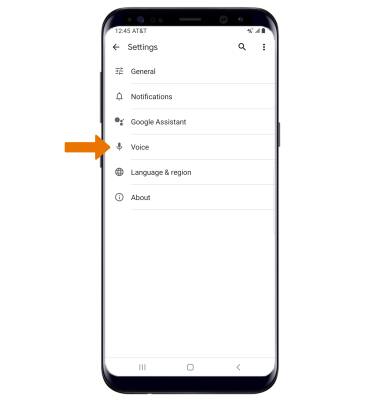
- Select Voice.
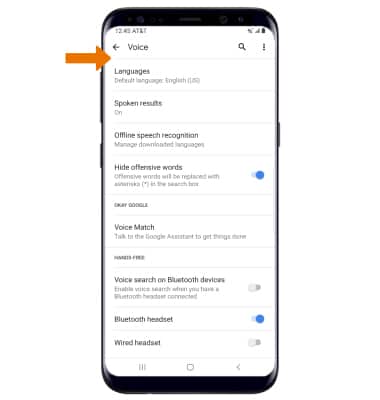
- Edit Voice preferences as desired.
Google Assistant
Samsung Galaxy S8 / S8+ (G955U/G950U)
Google Assistant
Use voice commands to control your device and access voice control settings.
INSTRUCTIONS & INFO