 To access and use Samsung Free, you must have and be logged into a
 Samsung Free allows you to quickly search and access content from certain apps on your phone and on the internet.
In this tutorial, you will learn how to:
• Access Samsung Free
• Access Samsung Free settings
• Access Samsung Free settings
• Customize Samsung Free
Access Samsung Free
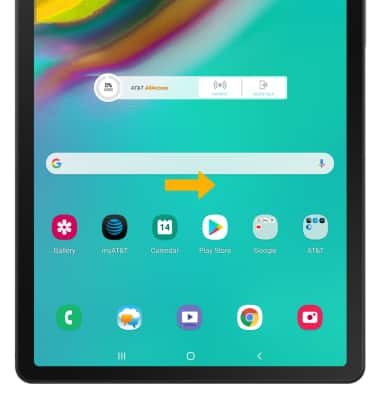
1. From the home screen, swipe right.
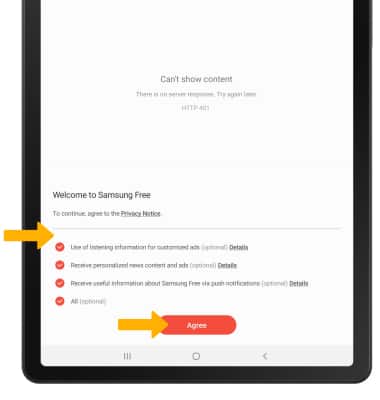
2. When you first use Samsung Free you must review the Privacy Notice. Select the desired circles, then select Agree.
Access Samsung Free settings
1. Select the Read tab. Select the  Menu icon at the top of the screen, then select Settings.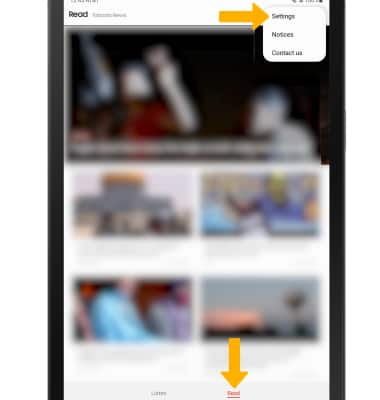
2. Edit settings as desired.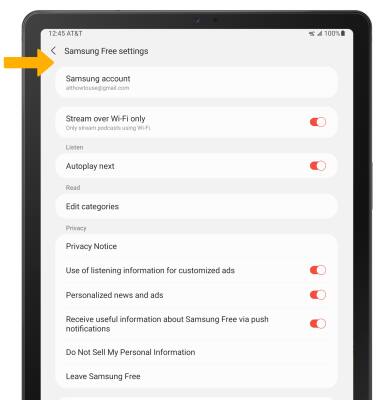
Customize Samsung Free
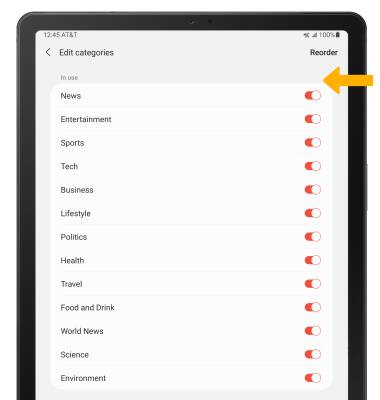
1. From the Samsung Free settings screen, select Edit categories.
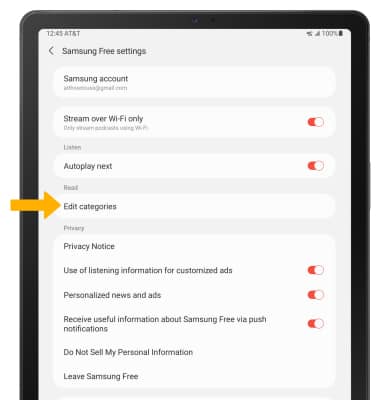
2. Select the switch next to the the desired News category option to enable or disable the News category in your Samsung Free app.
Note: To change the order in which you view these categories, select Reorder then select the drag the desired category to the desired location.