
In this tutorial, you will learn how to:
• Take a screenshot
• Edit or share screenshots immediately
Take a screenshot
Press and hold the Power/Lock and Volume down buttons simultaneously.
Note: To access screenshots, from the home screen swipe up to access the Apps tray >  Photos app > Albums tab > Screenshots.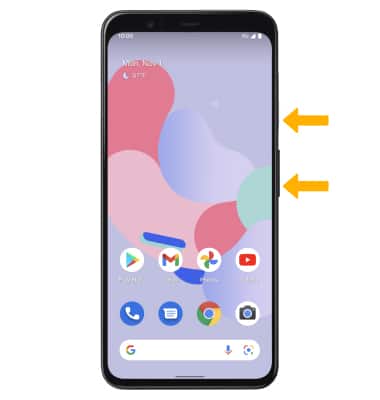
Edit or share screenshots immediately
Immediately after taking a screenshot, a notification will appear on the screen. Select the desired option:
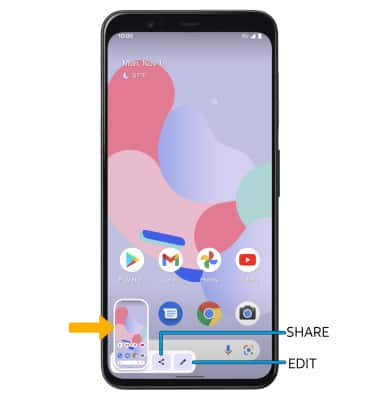
• EDIT A SCREENSHOT: Select Edit, then edit screenshot as desired.
• SHARE A SCREENSHOT: Select Share, then follow the prompts to share.
• SHARE A SCREENSHOT: Select Share, then follow the prompts to share.