In this tutorial, you will learn how to:
• Change view mode
• Create an event
• View event information
• Edit an event
• Delete an event
When there is an upcoming event, the
 Calendar icon will be displayed in the Notification bar.
Change view mode
From the Calendar app, select the  Menu icon then select the desired option.
Note: To access the Calendar, from the home screen select the  Calendar app. For this demonstration, Month was selected.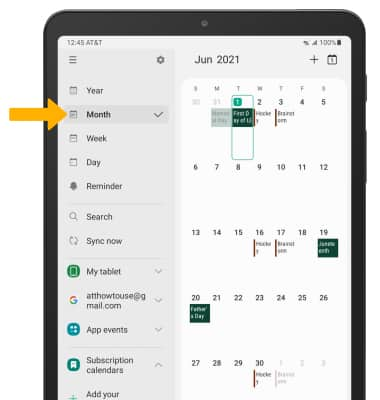
Create an event
1. From the Calendar app, select the  Add icon.
2. Enter the desired information, then select Save.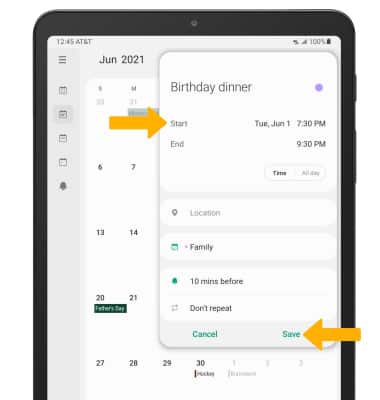
View event information
1. From the Calendar, select the desired date.
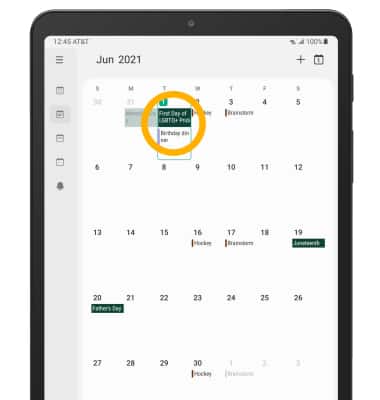
2. Select the desired event.
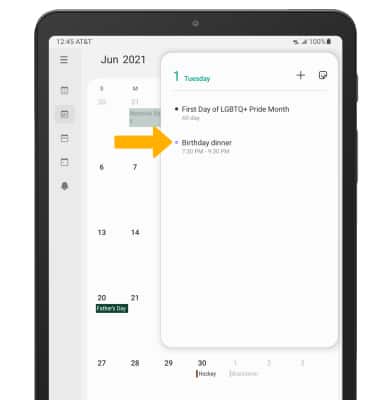
2. Select the desired event.
Edit an event
From the desired event, edit the information as desired then select Save.
Note: You will only be allowed to edit events you have created.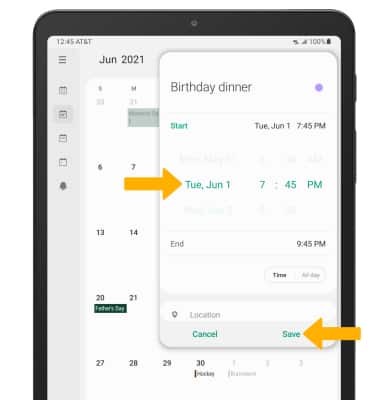
Delete an event
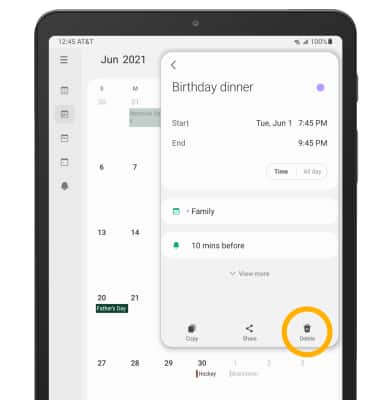
From the desired event, select Delete icon.
Note: You will be prompted to select Delete to confirm.