In this tutorial, you will learn how to:
• Block messages
• Unblock messages
• Block unknown numbers
Block messages
1. From the home screen, select the  Messages app. Select the desired message thread.
Messages app. Select the desired message thread. 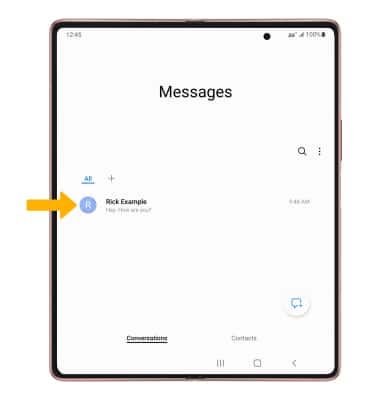
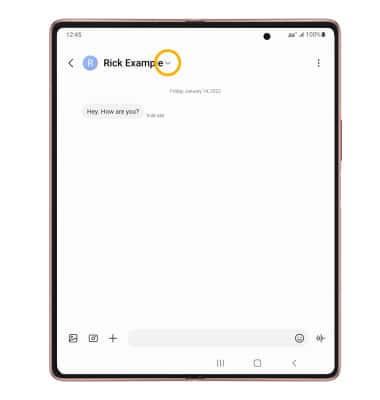
2. Select the Drop-down icon.
3. Select the Info icon.
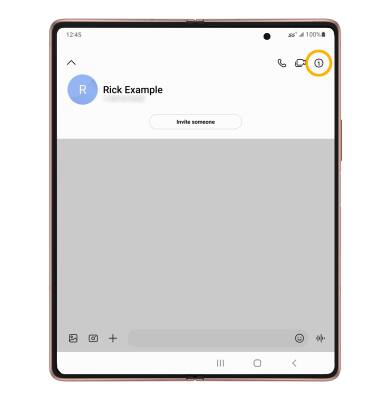
4. Select More, then select Block contact.
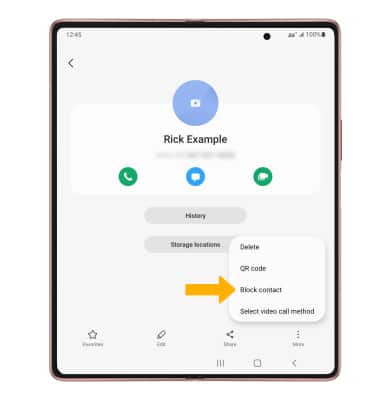
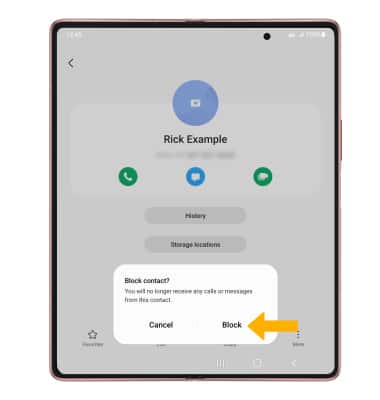
5. Select Block to block the contact.
Unblock messages
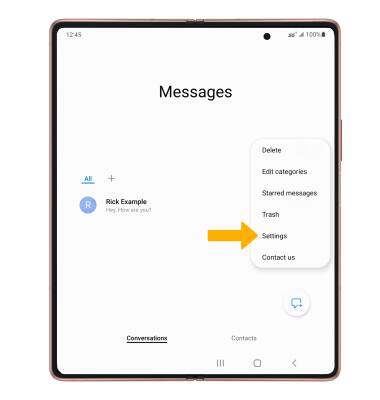
1. To remove a number from the Blocked numbers list, from the Messages app, select the  Menu icon then select Settings.
2. Select Block numbers and spam.
Menu icon then select Settings. 2. Select Block numbers and spam.
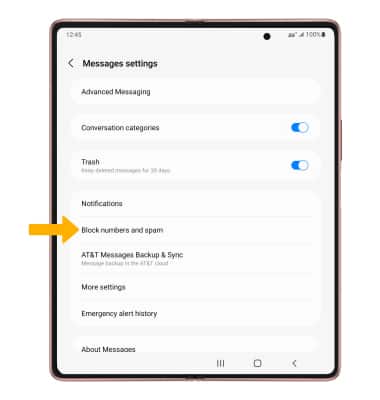
3. Select Block numbers.
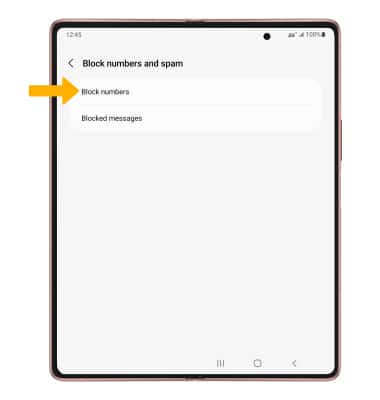
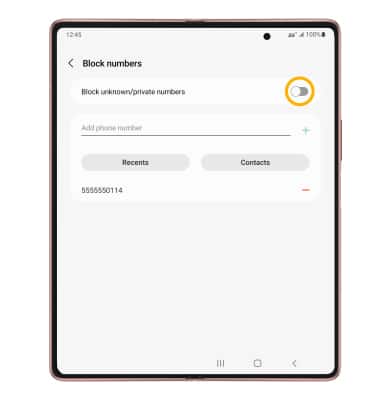
4. Select the Remove icon next to the desired number to unblock.
Note: Select Conversations to block a number from your messages inbox. Select Contacts to block a number from your contacts list.
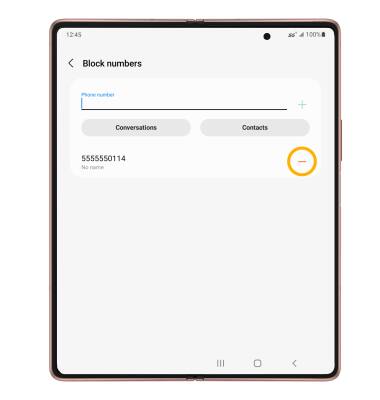
Note: Select Conversations to block a number from your messages inbox. Select Contacts to block a number from your contacts list.
Block unknown numbers
1. From the home screen, select the  Phone app > Menu icon > Settings.
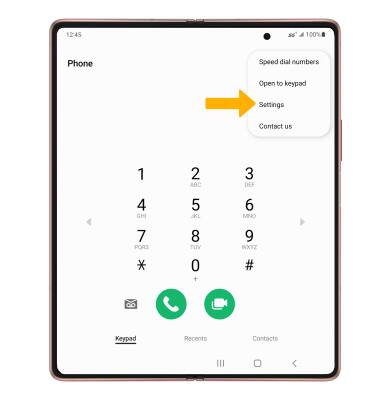
2. Select Block numbers.
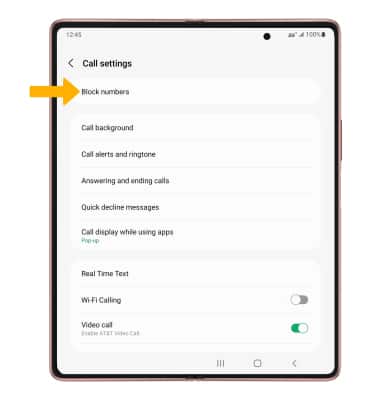
3. Select the Block unknown/private numbers switch.
Phone app > Menu icon > Settings. 2. Select Block numbers.
3. Select the Block unknown/private numbers switch.