In this tutorial, you will learn how to:
• Quickly access notifications
• Access notification settings
• Turn on or off notification badges
• Turn lock screen notifications on or off
• Turn notifications on or off on a per-app basis
• Adjust notification sounds
• Access notification settings
• Turn on or off notification badges
• Turn lock screen notifications on or off
• Turn notifications on or off on a per-app basis
• Adjust notification sounds
Quickly access and respond to notifications
Swipe down from the Notification bar. Notifications will be displayed.
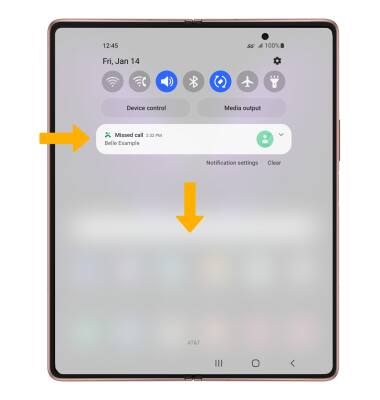
To respond to a notification, select the drop-down icon then select the desired response or action.
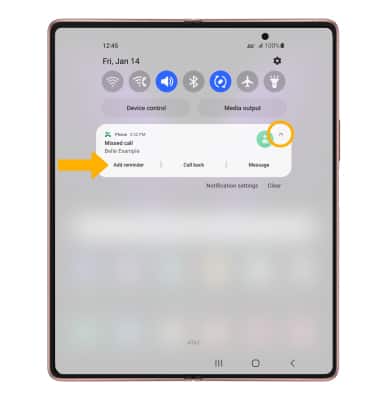
To respond to a notification, select the drop-down icon then select the desired response or action.
Access notification settings
1. Swipe down from the Notification bar, then select the  Settings icon.
2. Select Notifications.
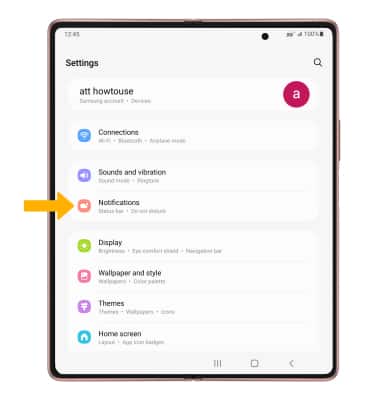
3. Edit Notification settings as desired.
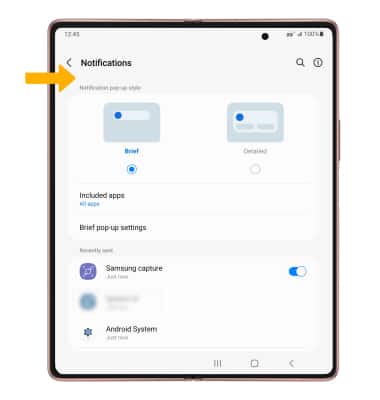
Settings icon.2. Select Notifications.
3. Edit Notification settings as desired.
Turn on or off notification badges
1. From the Notifications screen, scroll to and select Advanced settings.
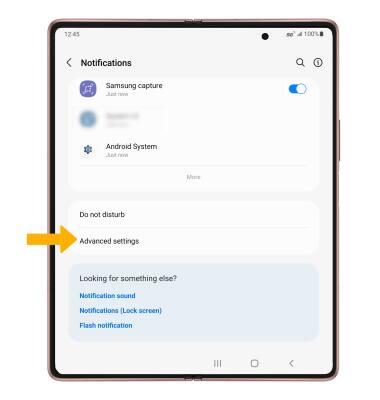
2. Select the App icon badges switch to turn notification badges on or off.
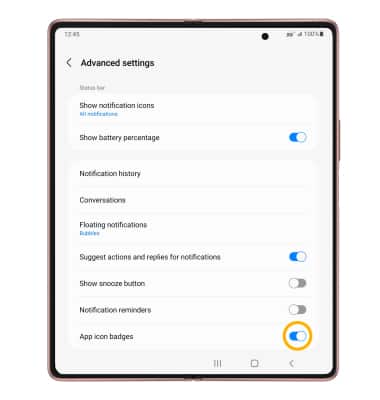
2. Select the App icon badges switch to turn notification badges on or off.
Turn lock screen notifications on or off
1. To block or unblock notifications from appearing when the device is locked, from the Settings screen, scroll to and select Lock screen.
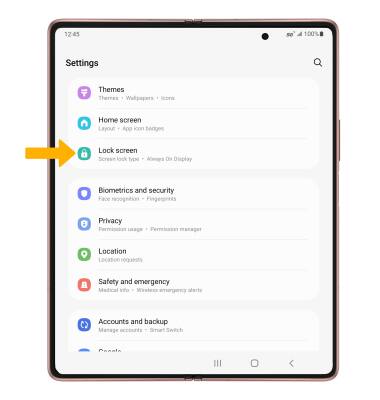
2. Scroll to and select the Notifications switch.
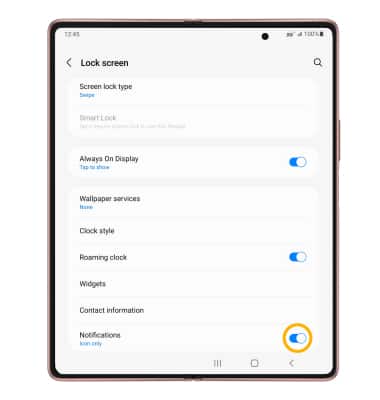
2. Scroll to and select the Notifications switch.
Turn notifications on or off on a per-app basis
1. From the Settings screen, scroll to and select Apps.
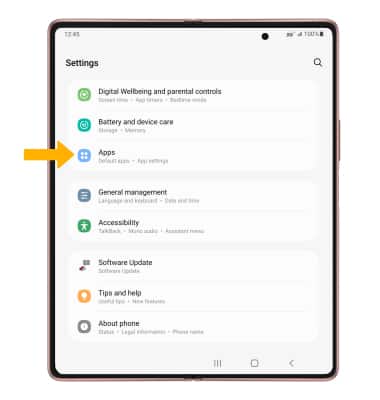
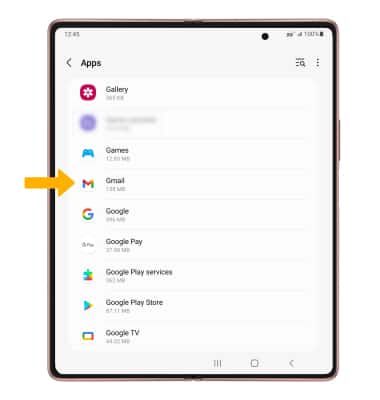
2. Navigate to, then select the desired app.
3. Select Notifications.
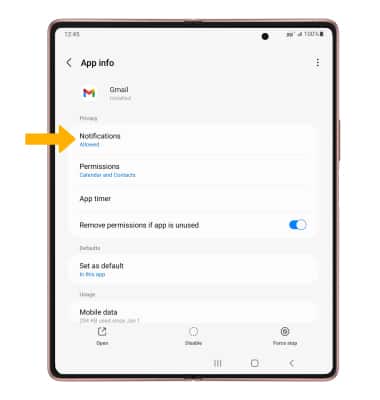
4. Edit the Notification settings as desired.

2. Navigate to, then select the desired app.
3. Select Notifications.
4. Edit the Notification settings as desired.
Adjust notification sounds
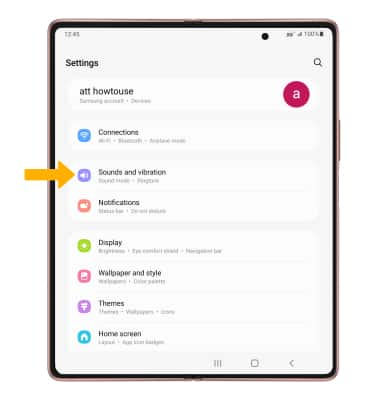
1. From the Settings screen, select Sounds and vibration.
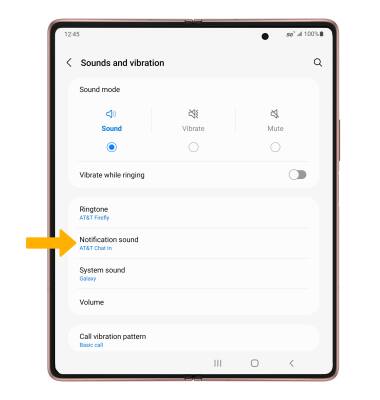
2. Select Notification sound.
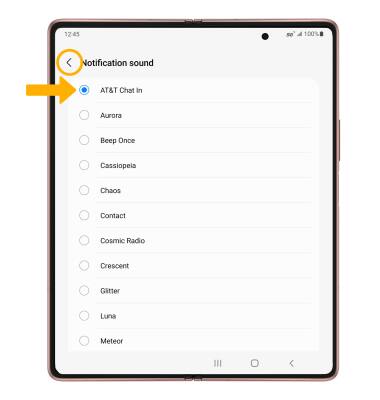
3. Select the desired notification sound, then select the back arrow.
2. Select Notification sound.
3. Select the desired notification sound, then select the back arrow.