
1. To change your voicemail password, from the home screen, select the  Phone app then select the
  Menu icon. Select Settings, then select Voicemail.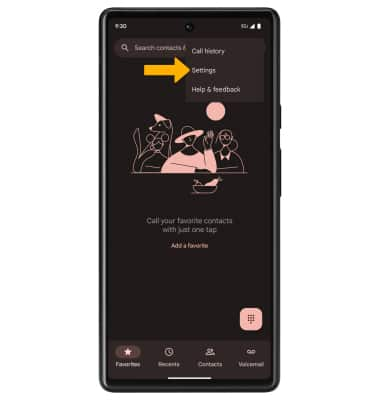
2. Select Change PIN. Enter your old PIN, then select Continue.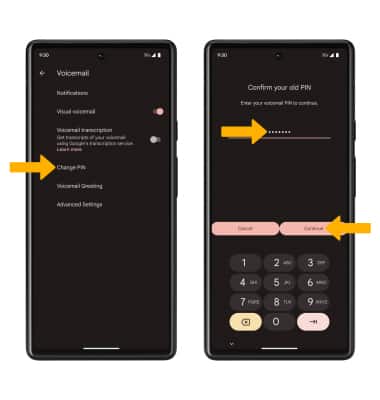
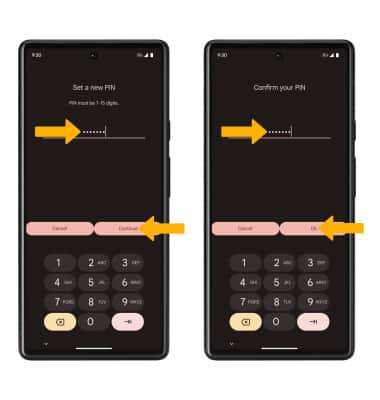
3. Enter a new 7-15 digits PIN, then select Continue. Enter the new 7-15 digits PIN again, then select Ok to confirm.