
In this tutorial, you will learn how to:
• Turn Airplane Mode on or off through Settings
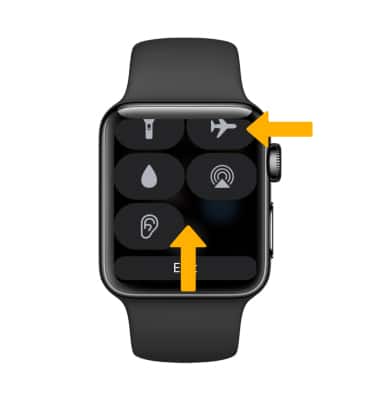
• Turn Airplane Mode on or off through the Control Center
When Airplane Mode is turned on, the  Airplane Mode icon will appear on the clock screen.
Turn Airplane Mode on or off through Settings
1. From the clock screen, press the Digital Crown/Home button then select the  Settings app.
2. Scroll to and select Airplane Mode, then select the  Airplane Mode switch to turn it on or off.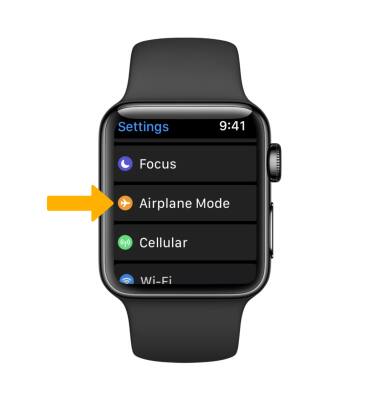
Turn Airplane Mode on or off through the Control Center
Airplane Mode can be also accessed from the Control Center. Swipe up from the bottom of the screen to access the Control Center, then scroll to and select the Airplane mode icon.