• Adjust volume
• Activate silent mode
• Activate silent mode
• Access additional volume settings
• Change ringtone
• Turn on/off do not disturb mode
• Use Sleep mode
• Use Sleep mode
Adjust volume
Press the Volume buttons located on the top of the device to adjust the media volume. To access additional volume settings, press either of the Volume buttons then select the Menu icon.
Note: To use the Volume keys to adjust ring volume, select the either Volume button > Menu icon > Settings icon > Use Volume keys for media switch to disable.
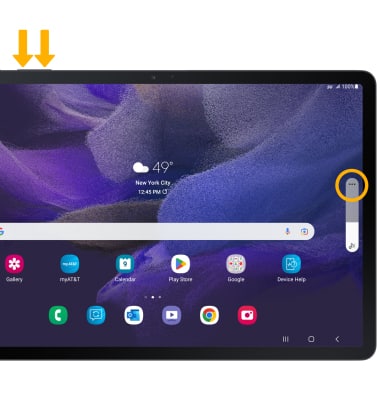
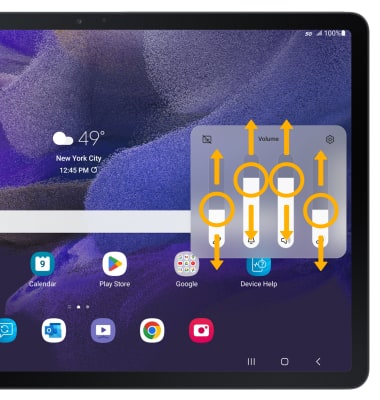
Select and drag the Volume bars up or down as desired.
Note: To use the Volume keys to adjust ring volume, select the either Volume button > Menu icon >
Settings icon > Use Volume keys for media switch to disable.Select and drag the Volume bars up or down as desired.
Activate silent mode
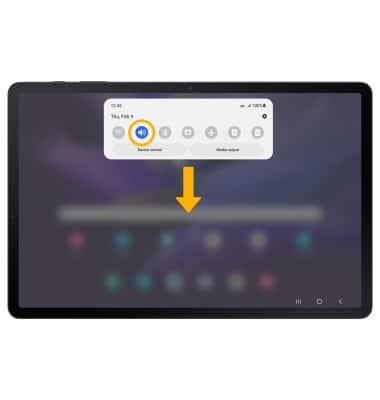
To activate Silent mode, swipe down from the Notification bar then select the Volume icon.
Note: When Silent mode is active, the Silent mode icon will be displayed in the Notification bar.
Note: When Silent mode is active, the
Silent mode icon will be displayed in the Notification bar.Access additional volume settings
1. Swipe down from the Notification bar, then select the Settings icon.
2. Select Sound. Edit sound settings as desired.
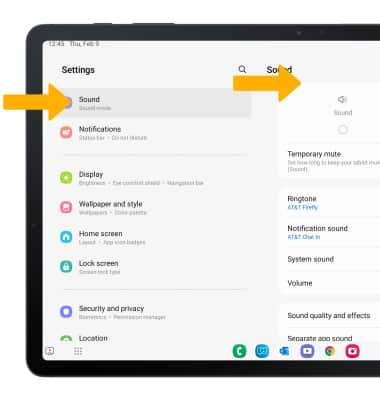
Settings icon.2. Select Sound. Edit sound settings as desired.
Change ringtone
1. From the Sounds screen, select Ringtone.
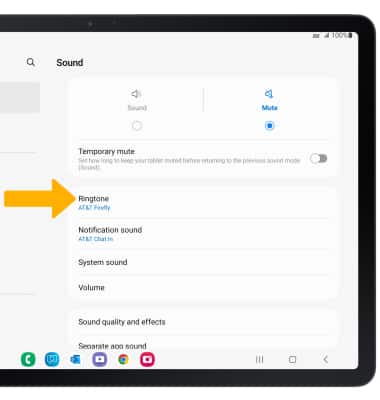
2. Select the desired ringtone, then select the Back arrow.
Note: For steps to assign a ringtone to a contact, please see the Contacts tutorial.
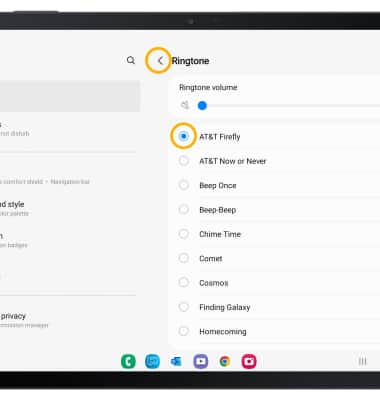
2. Select the desired ringtone, then select the Back arrow.
Note: For steps to assign a ringtone to a contact, please see the Contacts tutorial.
Turn on/off do not disturb mode
Swipe down from the Notification bar with two fingers, then swipe left. Select the Do not disturb icon.
Note: When Do not disturb mode is active, the Do not disturb icon will be displayed in the Notification bar. Do not disturb mode mutes sounds and the screen will remain off for incoming calls and alerts, but not alarms.
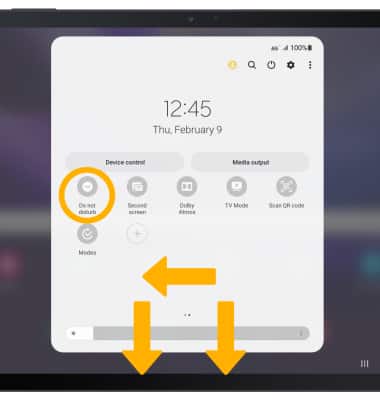
Note: When Do not disturb mode is active, the
Do not disturb icon will be displayed in the Notification bar. Do not disturb mode mutes sounds and the screen will remain off for incoming calls and alerts, but not alarms.Use Sleep mode
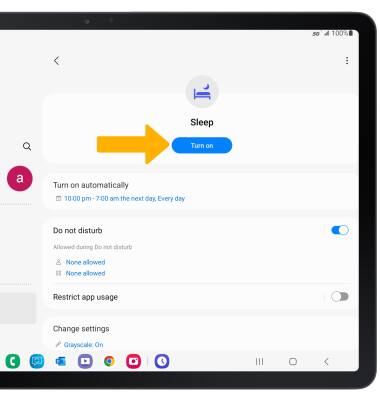
1. Enabling Sleep mode will automatically darken your screen and set your phone to Do Not Disturb during sleeping hours. From the home screen, swipe down from the Notification bar, then select the Settings icon. Scroll to and select Modes and Routines.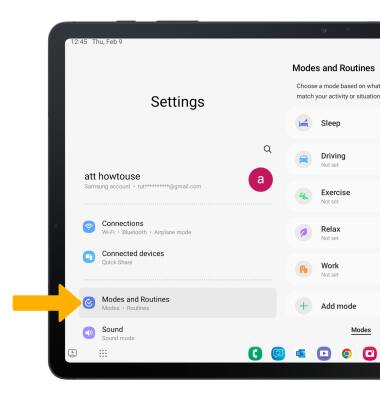
2. From the Modes tab, select Sleep.
Note: If it is your first time accessing Sleep mode, select Start.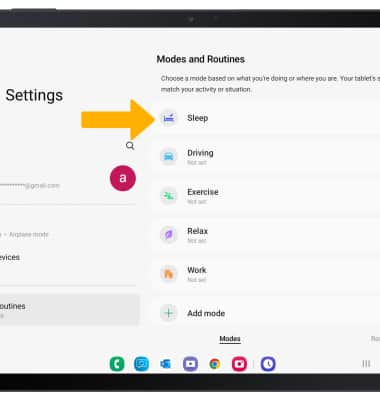
3. Edit the schedule as desired, then select Next.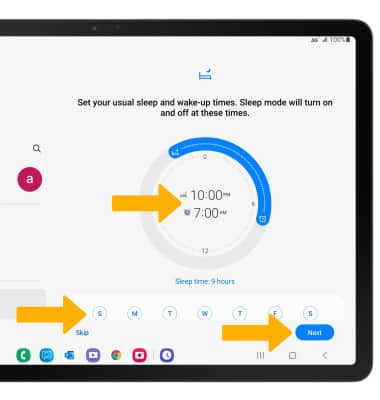
4. Edit the Do not disturb settings as desired, then select Next.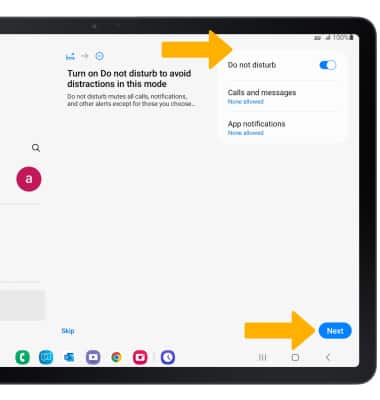
5. Select the circles next to the desired settings to apply when Sleep mode starts, then select Done.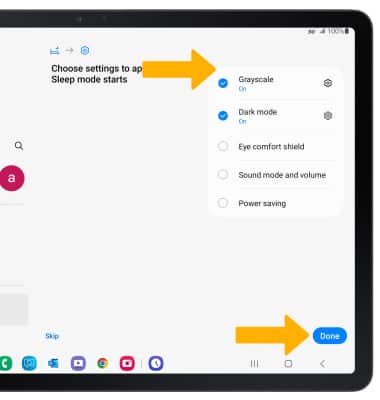
6. From the Sleep mode settings screen, select Turn on to manually turn on Sleep mode.