In this tutorial, you will learn how to:
• Access and use Google Assistant
• Access Google Assistant settings
Access and use Google Assistant
1. Select and hold the Home key to launch Google Assistant. Select the desired prompt.
Note: You can also select the  Microphone icon on the home screen to access Google Assistant.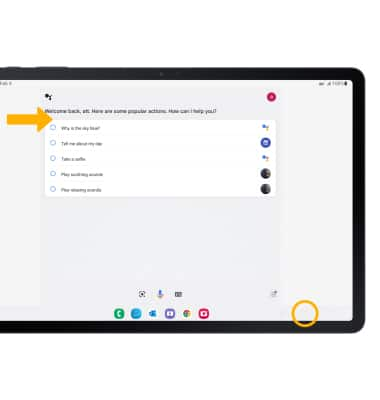
2. Select the desired option.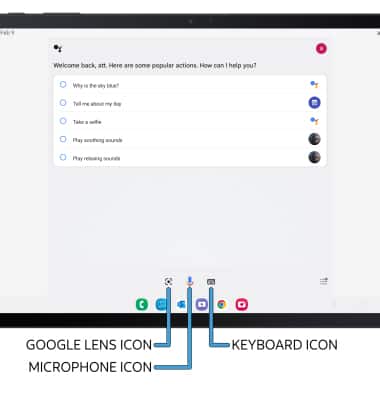
• TYPE A QUESTION: Select the Keyboard icon.
• ACCESS GOOGLE LENS: Select the Google Lens icon.
• TALK TO YOUR GOOGLE ASSISTANT: Select the Microphone icon.
Access Google Assistant settings
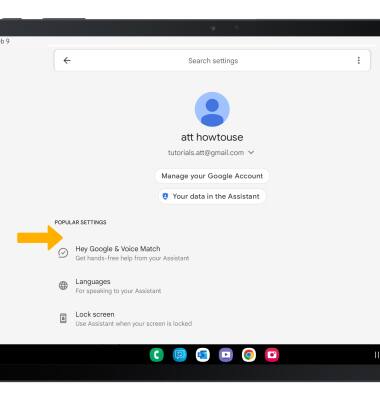
1. From the Google Assistant screen, select the  Account icon, then select Settings.
2. Edit settings as desired.