• Access Bixby Vision
• Use Bixby Vision
• Access Bixby Vision settings
Access Bixby Vision
1. From the home screen, select the  Camera app.
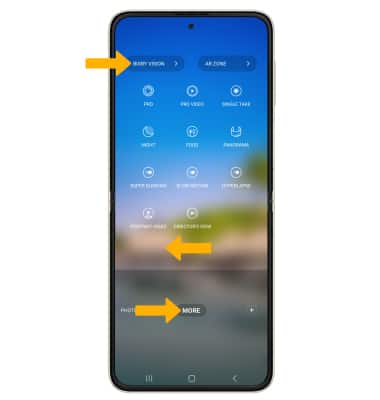
2. From the Camera app, swipe left to MORE then select BIXBY VISION.
Camera app.2. From the Camera app, swipe left to MORE then select BIXBY VISION.
Use Bixby Vision
Swipe left to DISCOVER. Point the device's camera at an object or location. Bixby Vision will automatically identify the object or location. Scroll to and select the desired search result.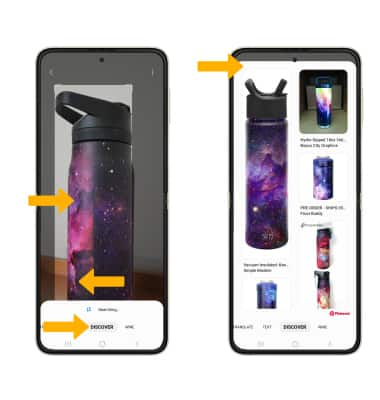
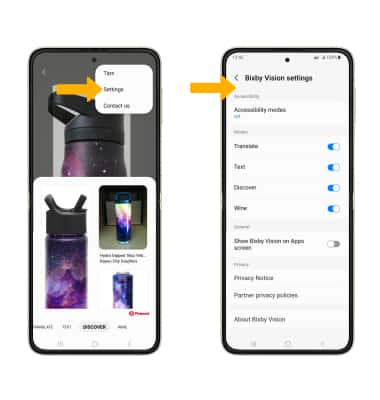
Access Bixby Vision settings
From the Bixby Vision screen, select the  Menu icon then select Settings. Edit settings as desired.