1. Navigate to and select the My Files app  .
.
Note: The My Files app is usually located on the Home screen, or in the Samsung folder in the Apps tray.
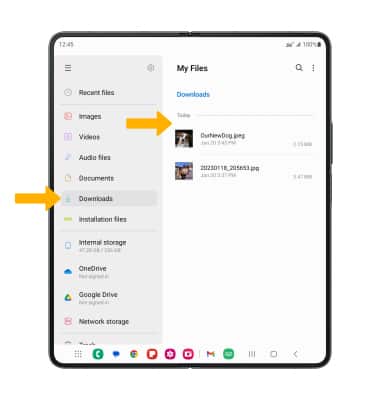
2. Navigate to and select the Downloads folder. Downloaded files will be displayed.
1. Navigate to and select the My Files app .
Note: The My Files app is usually located on the Home screen, or in the Samsung folder in the Apps tray.
2. Navigate to and select the Downloads folder. Downloaded files will be displayed.