
In this tutorial, you will learn how to:
• Access Samsung Free
• Access Samsung Free settings
Access Samsung Free
1. Swipe up from the home screen to access the apps tray. Select the Samsung folder, then select the  Samsung Free App.
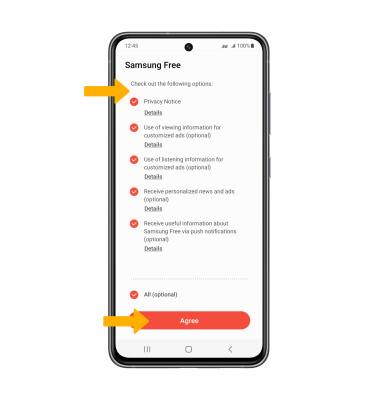
2. When you first use Samsung Free, you must review the Terms and Conditions and Privacy Policy. Select the desired circles, then select Agree.
Samsung Free App.2. When you first use Samsung Free, you must review the Terms and Conditions and Privacy Policy. Select the desired circles, then select Agree.
Access Samsung Free settings
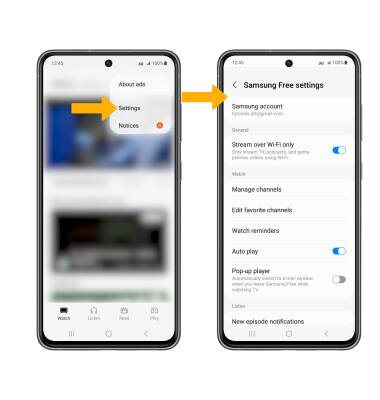
Select the  Menu icon at the top of Samsung Free, then select Settings. Edit settings as desired.