
1. Swipe down from the upper right corner of the screen, then select the  Settings icon.
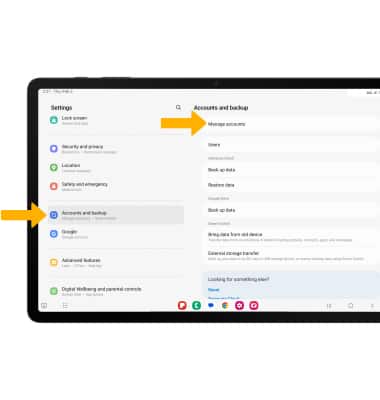
2. Scroll to and select Accounts and backup, then select Manage accounts.
3. Select Add account.
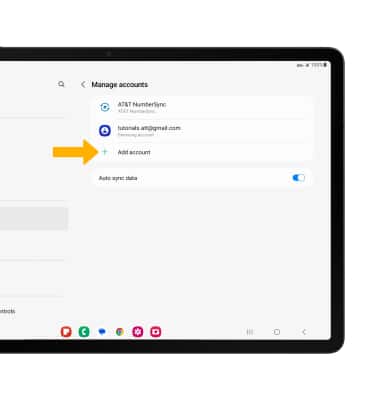
4. Select Google.
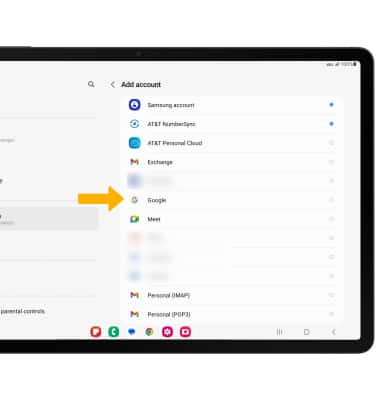
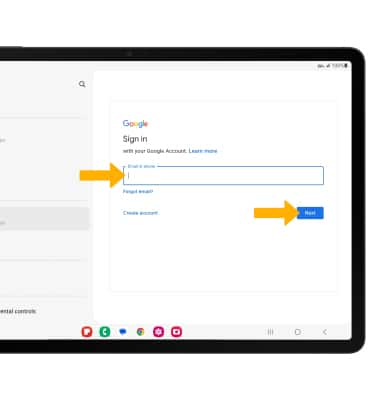
5. Enter your Email or phone number, then select Next.
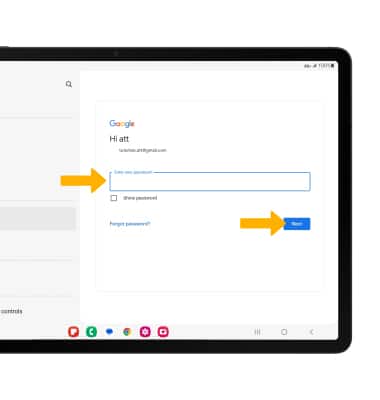
6. Enter your Password, then select Next.
Note: If you do not have an account, select Create account and follow the prompts, or visit accounts.google.com/signup. If you can't remember your password, select Forgot password? and follow the prompts.
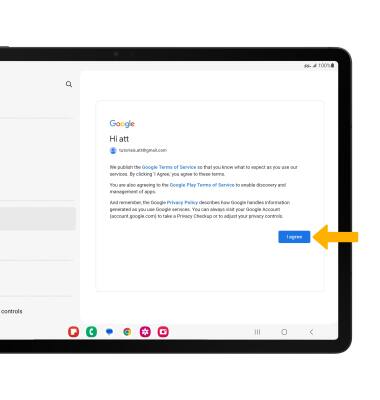
7. Review the Terms of Service and Privacy Policy prompt, then select I agree.
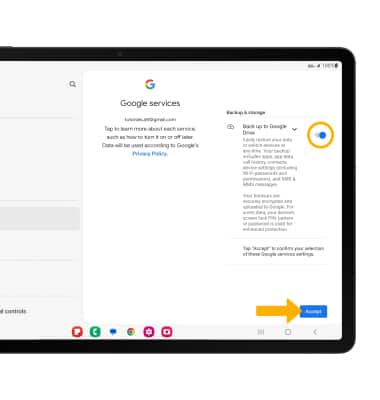
8. Review the Google Services prompt, then select the Back up to Google Drive switch if you wish to do so. Select Accept to complete.