
 Camera app.
In this tutorial, you will learn how to:
• Access camera settings
• Change the picture size
• Turn the flash on or off
• Set a timer
Access camera settings
From the Camera app, select the  Menu icon then edit Settings as desired.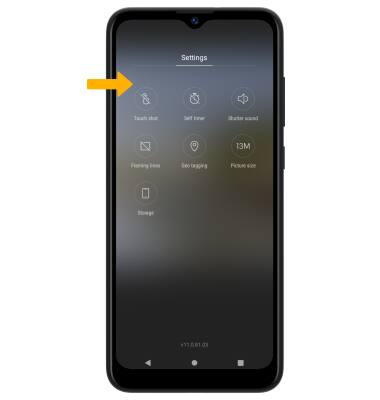
Change the picture size
From the camera screen, select the  Ratio icon then select the desired option.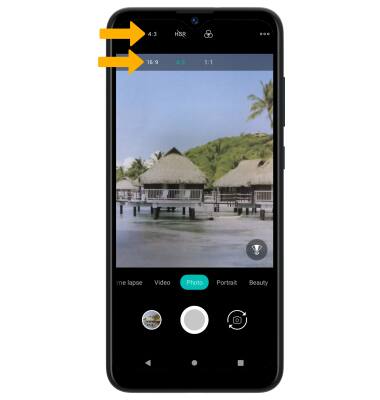
Turn the flash on or off
From the camera screen, select the  Flash icon then select the desired option.
Note: When using the front facing camera, Screen Flash will automatically be triggered when the camera sensor detects poor lighting. Screen Flash brightens and improves image quality. Screen Flash only occurs when the flash is enabled.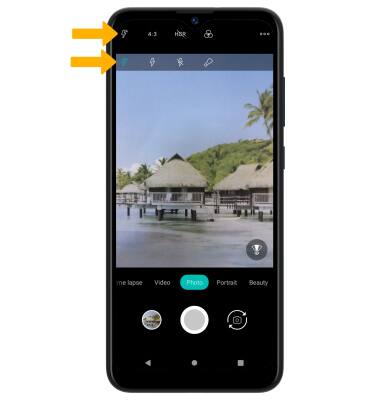
Set a timer
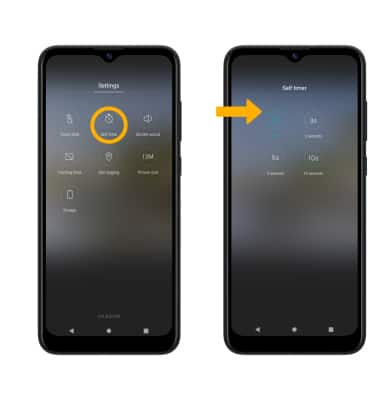
From the camera settings screen, select the  Self timer icon then select the desired time.