In this tutorial, you will learn how to:
• Access photos and videos
• Save photos to iCloud
• Save photos to iCloud
Access photos and videos
1. From the home screen, select the  Camera app.
2. Select the Preview icon.
Camera app.2. Select the Preview icon.
Note: Alternately, from the home screen select the  Photos app.
Photos app.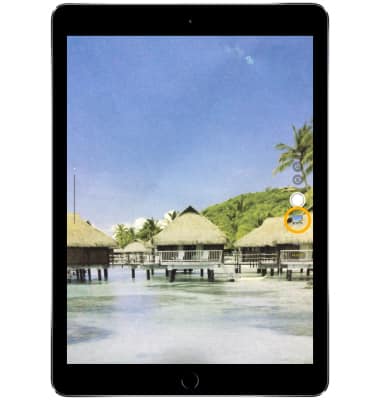
Save photos to iCloud
1. From the home screen, select the  Settings app.
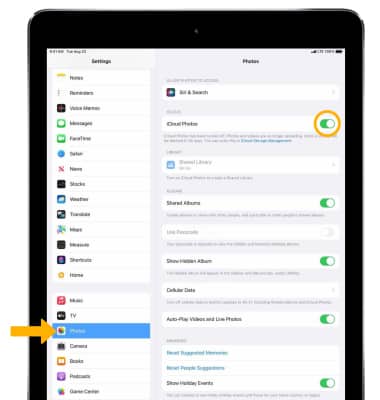
2. Scroll to and select Photos, then select the iCloud Photos switch .
Note: iCloud will automatically upload and safely store all of your photos and videos so you can browse, search and share from any of your devices. Learn more from the Apple websites iCloud Setup and iCloud Support. Sign in to iCloud from a computer at icloud.com.