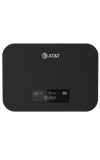
In this tutorial, you will learn how to:
• Access display settings
• Adjust display settings
Access display settings
1. From your device's web browser, go to http://mobile.hotspot.
Note: Ensure that your device is connected to the Device's Wi-Fi network. For more information, please see the Connect Devices to Wi-Fi or Connect PC or Mac to Wi-Fi tutorials.
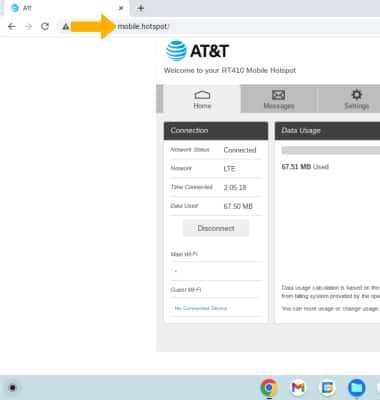
2. Click SETTINGS at the top of the page.
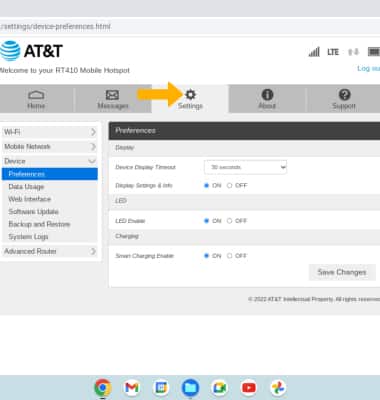
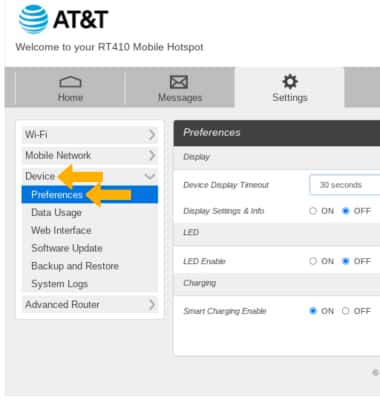
3. Click the Device menu, then click Preferences.
Adjust display settings
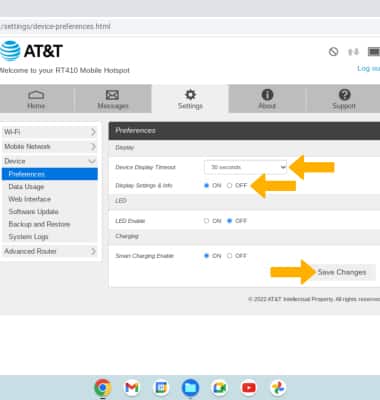
• ADJUST DEVICE DISPLAY TIMEOUT: Click the Device Display Timeout drop-down menu, then click the desired duration. Click Save Changes.
• ENABLE/DISABLE DISPLAY SETTINGS & INFO: To enable or disable device information on the screen, click ON or OFF under Display Settings & Info.