
Lifestyle
Setting up in-car Wi-Fi: Everything you need to know
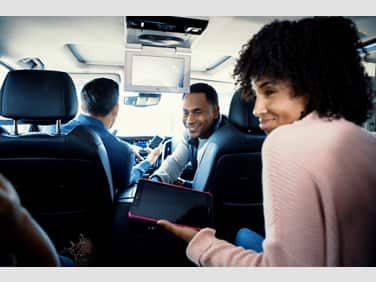
These days, many of us rely on technology to stay connected. Go to any public place and you’ll probably see people glued to their smartphones, tablets, and laptops.
That shouldn’t be too surprising. After all, the internet keeps us in touch with our friends and families, favorite entertainment, news, and more. And if we want to stay connected on all of our devices, often this means connecting to a Wi-Fi network.
You might not know that Wi-Fi access may also be available in your car. Here’s what you need to know to get connected.
What cars are eligible for AT&T in-car Wi-Fi?
Luckily, many car brands have built-in Wi-Fi hotspots. You can find a full list of these car brands on att.com. If your vehicle is eligible, you can easily choose a plan and activate in-car Wi-Fi on the AT&T network without purchasing any additional equipment.
Connecting your car to the internet without built in in-car Wi-Fi
If your vehicle doesn’t have built-in Wi-Fi, don’t worry, you can buy connected devices for in-car Wi-F for most vehicles made in ’96 or later.
Activating service in your car
Once you know if you have a built-in hotspot or need to buy a device to get connected, it’s easy to sign up for service. Visit the connected car page on att.com to get started.
Why have in-car Wi-Fi?
You might be wondering, “what are the benefits of in-car Wi-Fi?” After all, can’t you just connect each of your devices to the internet using wireless data? For one thing, many devices are Wi-Fi-only and can’t be connected via a data plan. For example, many laptops, tablets, and gaming devices only have Wi-Fi capabilities. In-car Wi-Fi allows you to connect these Wi-Fi only devices to the internet and keep the kids entertained in the back seat on long road trips and more.
This article is AT&T sponsored content written by Matt Johnsen, a former AT&T employee. The statements in this article are his own and don’t necessarily represent the positions, strategies, or opinions of AT&T.
Unlock possibilities
Related articles

by Jobi George | Feb 26, 2026
Learn practical tips for maintaining internet access during a power outage, including mobile hotspots, battery backups, and cellular data options.

by Zoya Cochran | Feb 25, 2026
Learn practical steps to protect personal data on your smartphone, from password security and encryption to app permissions and backup strategies.

by Leslie McGill | Feb 11, 2026
Learn how to become a travel content creator with tips on gear, social media, and staying connected so that you can share your adventures from anywhere.
Want to stay in the loop?
Get the latest deals, product news, and more from AT&T.