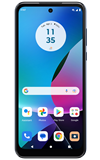

In this tutorial, you will learn how to:
• Set a security lock
• Change lock type
• Change lock screen timeout
• Lock and unlock device
Set a security lock
1. Swipe down from the Notification bar with two fingers, then select the  Settings icon.
2. Scroll to and select Security & privacy.
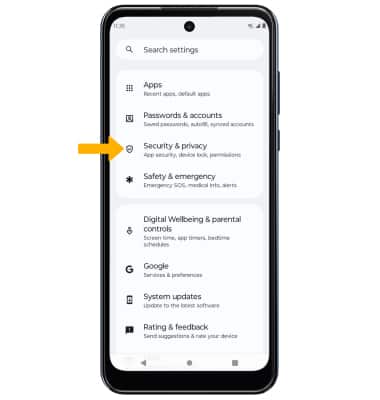
Settings icon. 2. Scroll to and select Security & privacy.
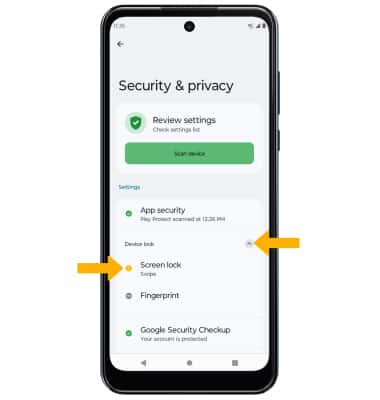
3. Select the Device lock drop-down icon, then select Screen lock.
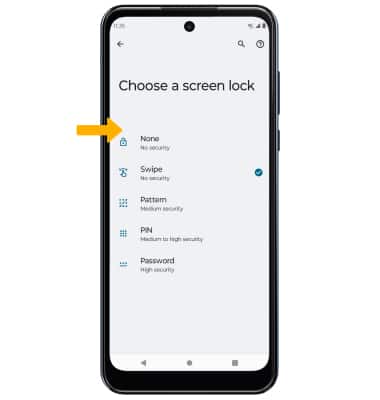
4. Select the desired screen lock type then follow the prompts to set up the lock, if prompted.
Note: If you choose Pattern lock, you will have to factory reset your device if you forget your Pattern lock. Visit the Reset Device tutorial for alternate reset instructions.
5. Edit Lock screen notification settings as desired, then select Done.

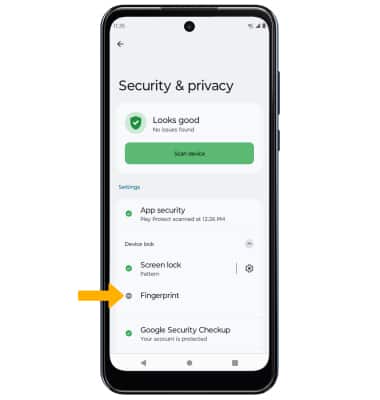
6. To set up Fingerprint unlock, from the Security & privacy screen, select Fingerprint.
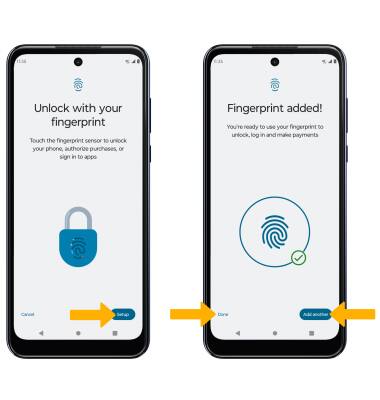
7. Select Setup, then follow the prompts to set up your fingerprint. When finished, select Done or select Add another to add additional fingerprints.
Change lock type
From the Security & privacy screen, select the Screen lock drop-down icon > enter your current screen lock > select the new desired screen lock type and follow prompts to complete set up.
Change lock screen timeout
1. From the Security & privacy screen, select the Settings icon next to Screen lock.
2. Select Lock after screen timeout, then select the desired timeout duration.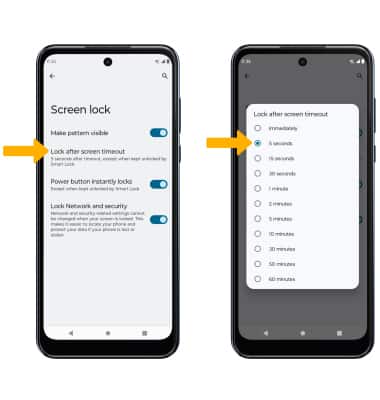
Lock and unlock device
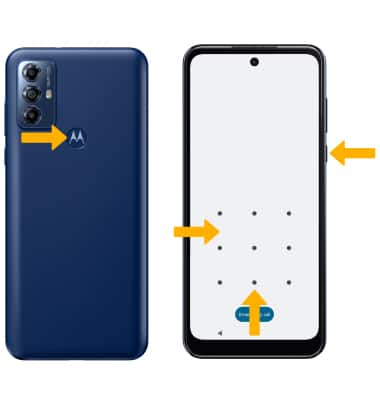
• LOG IN USING THE SECURITY LOCK: If using fingerprint, place your finger on the fingerprint sensor located on the back of the device. To use your backup screen lock, from the lock screen, swipe up from the bottom of the screen then enter your backup screen lock.
• LOCK DEVICE: Press the Power/Lock button located on the right side of the device.