
In this tutorial, you will learn how to:
• Access AT&T ActiveArmor Mobile Security
• Block a number
• Access settings
Access AT&T ActiveArmor Mobile Security
1. Navigate to and select the  AT&T ActiveArmor Mobile Security app.
Note: Depending on your device, you may need to download the app from the Google Play Store. View the Download Apps & Games tutorial to learn how to download an app onto your device.
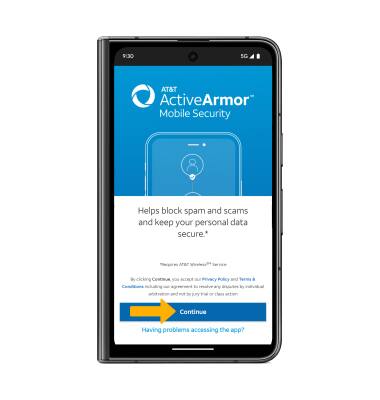
2. Select Continue.
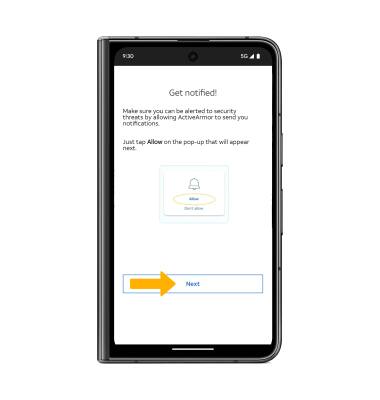
3. Select Next.
Note: Review the permission prompts, then select Allow.
4. Review the Stop spam calls prompt then select the Guide me and follow the prompts, or select I'll set up later to skip spam protection setup.

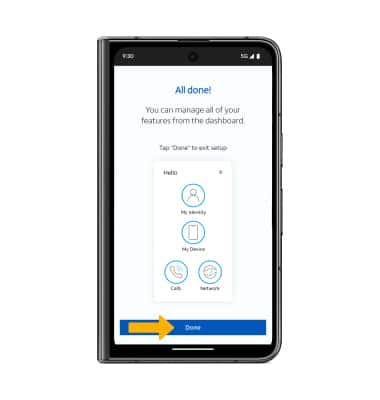
5. Select Done.
Block a number
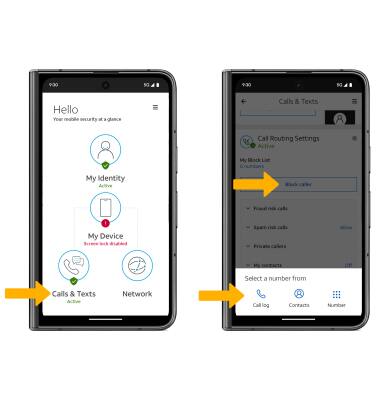
From the ActiveArmor Mobile Security app, select Calls & Texts then scroll to and select Block caller. Select the desired option and follow the prompts.
Access settings
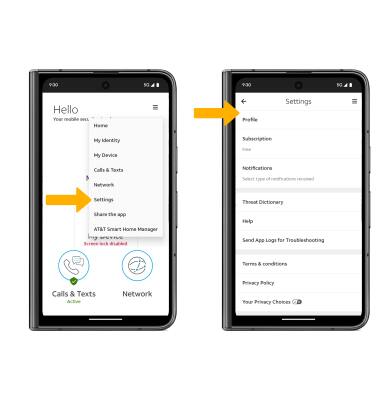
Select the  Menu icon, then select Settings. Edit settings as desired.