 Wi-Fi Calling is turned on as part of the activation process. To use Wi-Fi Calling you'll need a
 In this tutorial, you will learn how to:
• Check Wi-Fi calling status
• Make a Wi-Fi call
• Quickly turn on/off Wi-Fi calling
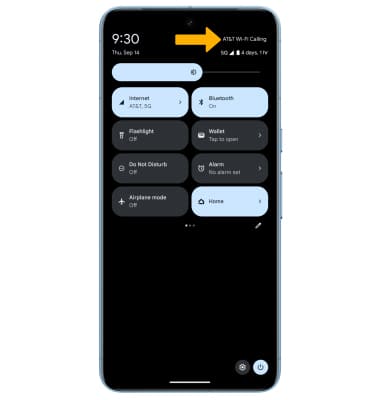
When your phone is connected to Wi-Fi, Wi-Fi Calling is on, and a cellular connection is unavailable or poor, you'll see AT&T Wi-Fi Calling in the Extended Quick Settings to indicate that calls will be carried over Wi-Fi.
Check Wi-Fi calling status
1. From the home screen, select the  Phone app.
2. Select the  Menu icon, then select Settings. Select Calling accounts.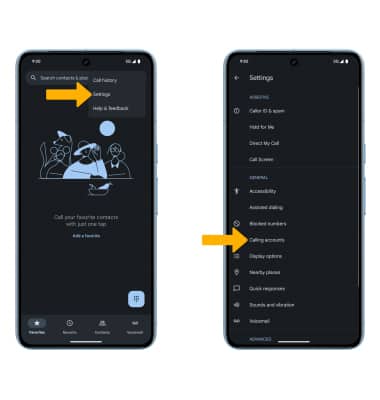
3. Select the desired SIM card, then select Wi-Fi calling. 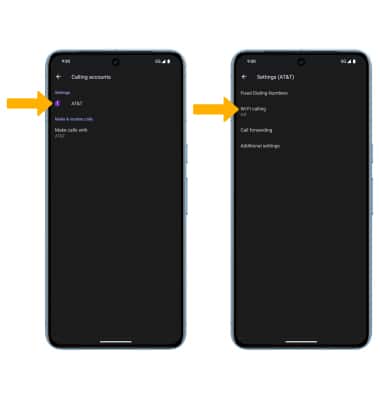
4. Select the Use Wi-Fi calling switch to enable. 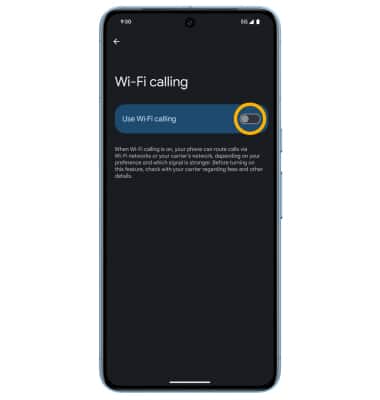
5. Review the Important Information prompt, then scroll to and select Continue. Enter your emergency address, then select Verify address.
Make A Wi-Fi call
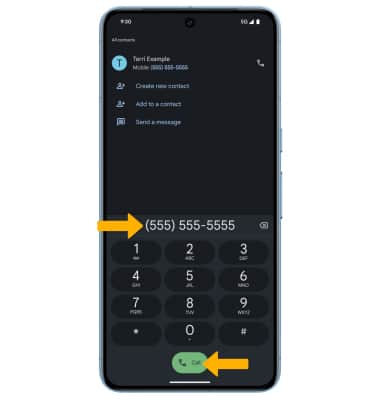
Making a call is the same whether on cellular or Wi-Fi. From the home screen, select the Phone app >  Dial Pad icon > dial the desired number > select the Call icon.