
In this tutorial, you will learn how to:
• Access messaging settings
• Messaging settings options
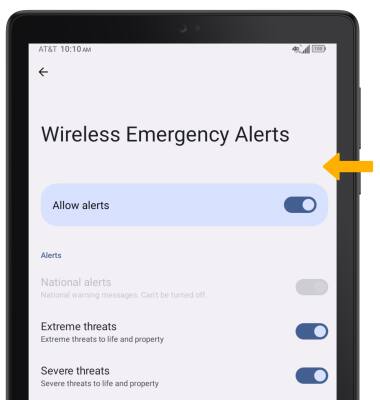
• Enable/disable Emergency Alerts
Access messaging settings
1. From the home screen, select the  Messages app.
2. Select the Menu icon, then select Settings.
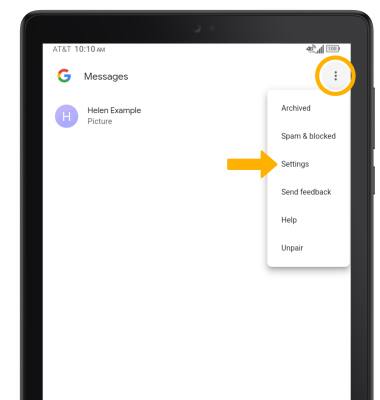
Messages app.2. Select the
Menu icon, then select Settings.
Messaging settings options
1. Edit settings as desired.
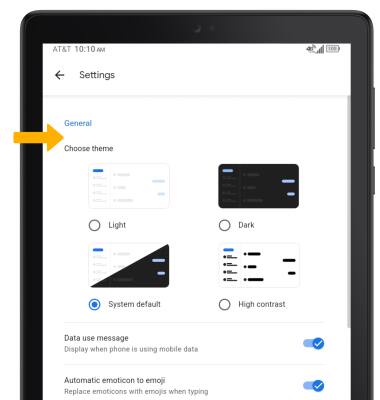
2. Scroll to and select the desired option to access the desired settings:
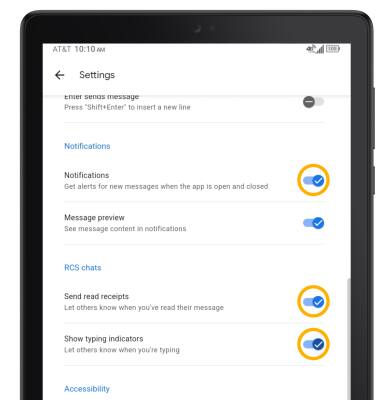
• TURN ON/OFF CHAT READ RECEIPTS: Scroll to and select the Send read receipts switch.
• TURN ON/OFF TYPING INDICATORS: Scroll to and select the Show typing indicators switch.
• TURN ON/OFF MESSAGE NOTIFICATIONS: Scroll to and select the Notifications switch.
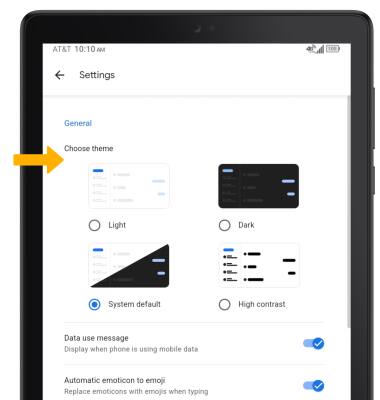
3. To change the theme, from the settings screen, select the desired option.
Enable/disable Emergency Alerts
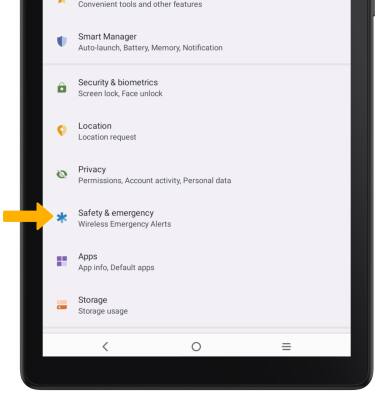
1. Swipe down from the Notification bar with two fingers, then select the  Settings icon.
Settings icon.2. Scroll to and select Safety & emergency.
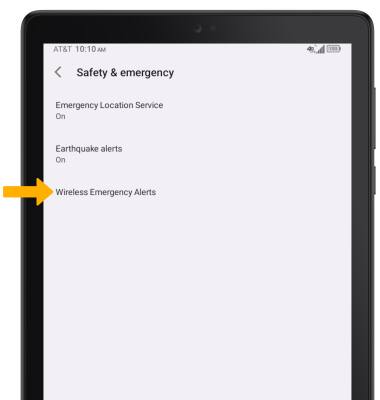
4. Select the desired switches to enable or disable alerts as desired.