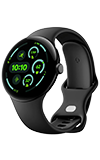

1. From the paired device, navigate to and select the  Google Watch app.
Note: To set up NumberSync, you must first connect your watch to an AT&T Cellular Network and have the latest software version. For more information on connecting to the AT&T Cellular network, view the Device Setup tutorial. For more information on NumberSync for Wearables, visit NumberSync for Wearables.
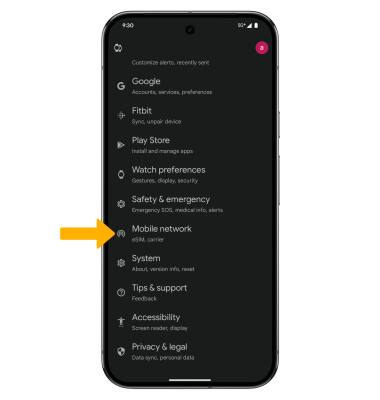
2. Scroll to and select Mobile network.
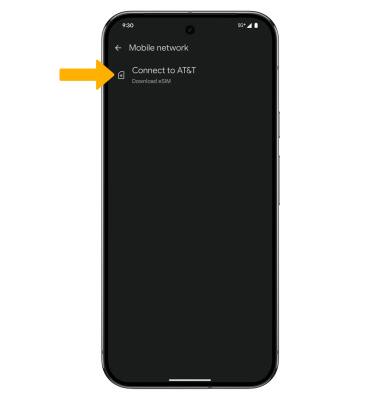
3. Select Connect to AT&T.
4. Select Continue.
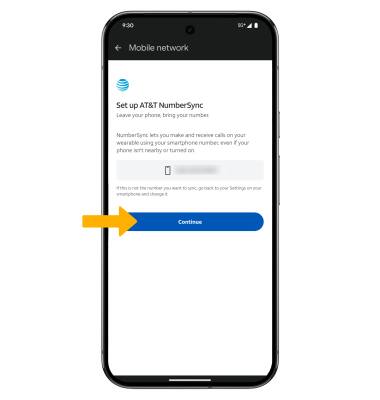
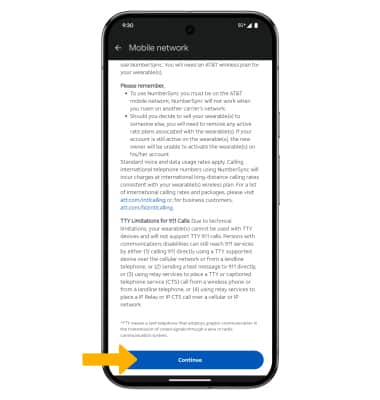
5. Review the NumberSync for Wearables prompt, then scroll to and select Continue.
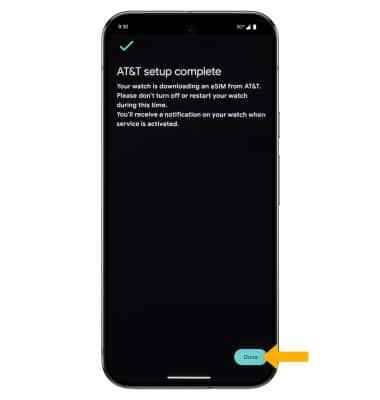
6. Select Done.
Google Watch app. Note: To set up NumberSync, you must first connect your watch to an AT&T Cellular Network and have the latest software version. For more information on connecting to the AT&T Cellular network, view the Device Setup tutorial. For more information on NumberSync for Wearables, visit NumberSync for Wearables.
2. Scroll to and select Mobile network.
3. Select Connect to AT&T.
4. Select Continue.
5. Review the NumberSync for Wearables prompt, then scroll to and select Continue.
6. Select Done.
Note: For information on how to make and receive calls from your wearable, see the Call Features tutorial.