
1. From your smartphone, navigate to and open the  Wear app.
Note: To set up NumberSync, you must first connect your watch to an AT&T Cellular Network and have the latest software version. With NumberSync, you can sync up to five devices to a single wireless number. For more information on connecting to the AT&T Cellular network, view the Device Setup tutorial.
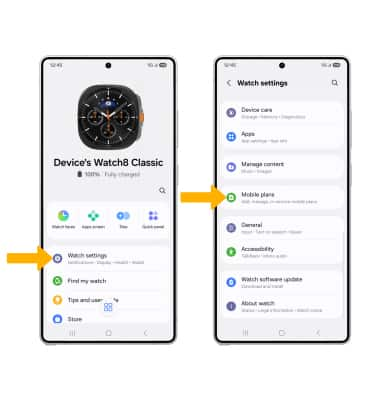
2. Select Watch settings, then scroll to and select Mobile plans.
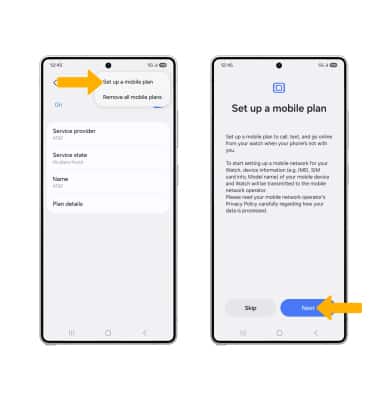
3. Select the Menu icon, then select Set up a mobile plan. Select Next.
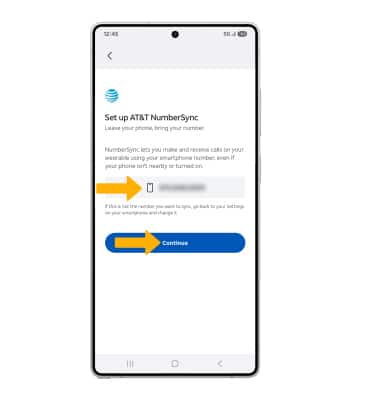
4. Ensure the desired number you would like to sync with is displayed, then select Continue.
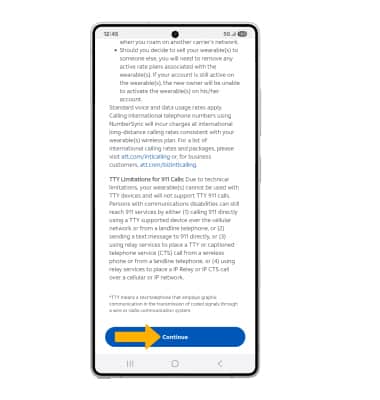
5. Review the NumberSync for Wearables prompt, then scroll to and select Continue.
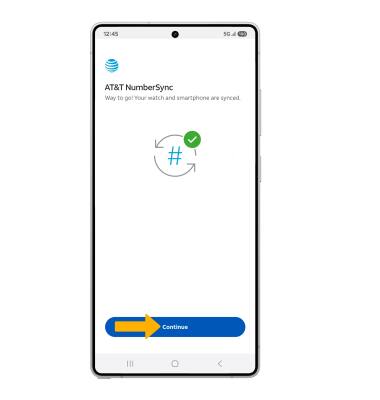
6. Select Continue.
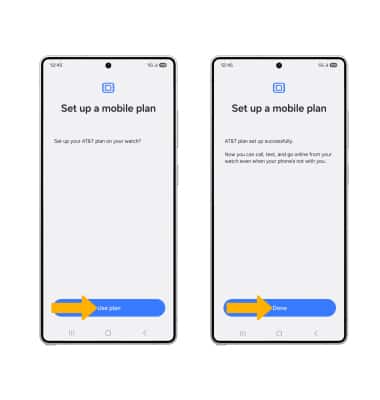
7. Select Use plan, then select Done.
Wear app.Note: To set up NumberSync, you must first connect your watch to an AT&T Cellular Network and have the latest software version. With NumberSync, you can sync up to five devices to a single wireless number. For more information on connecting to the AT&T Cellular network, view the Device Setup tutorial.
2. Select Watch settings, then scroll to and select Mobile plans.
3. Select the
Menu icon, then select Set up a mobile plan. Select Next. 4. Ensure the desired number you would like to sync with is displayed, then select Continue.
5. Review the NumberSync for Wearables prompt, then scroll to and select Continue.
6. Select Continue.
7. Select Use plan, then select Done.