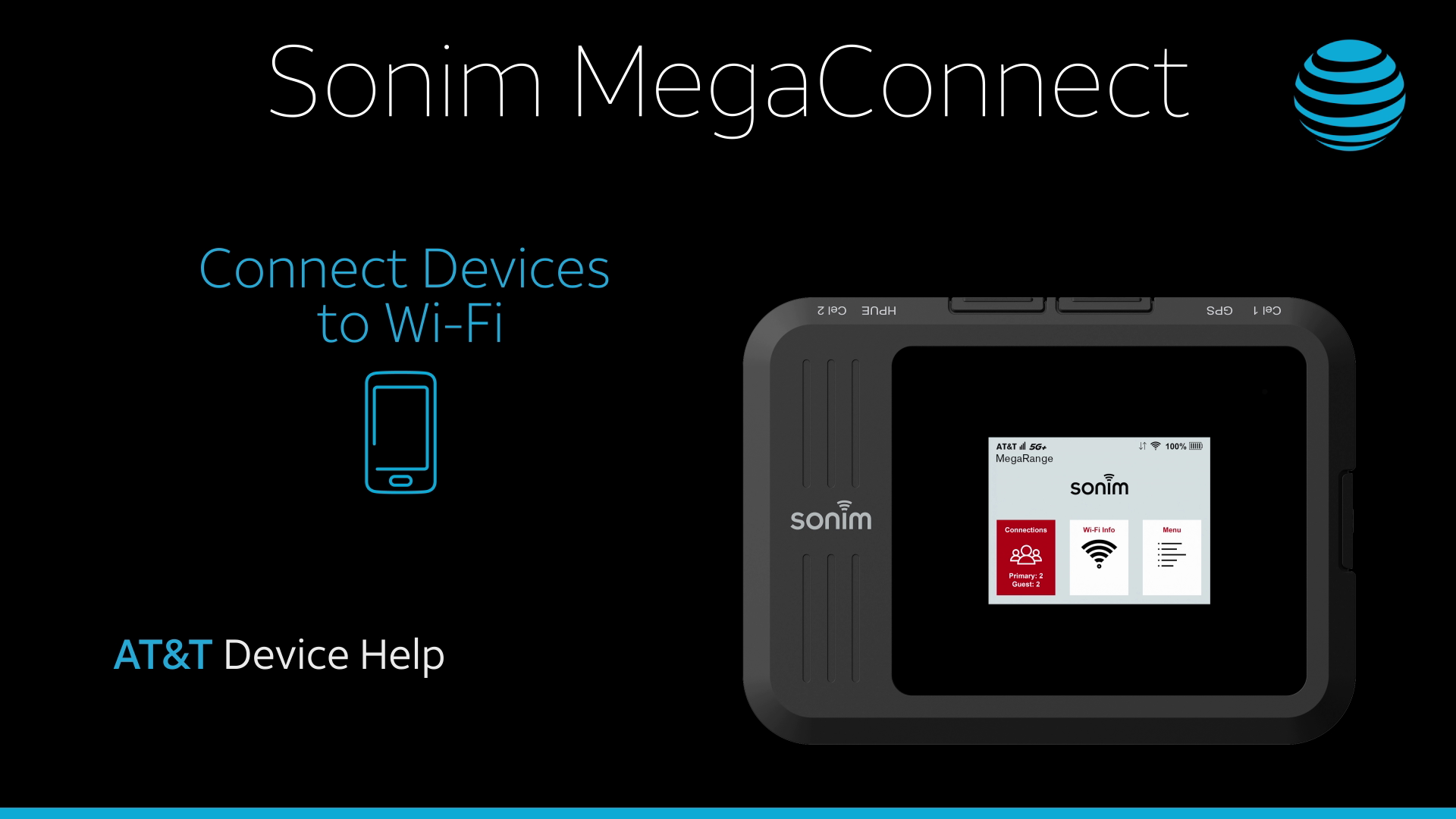
In this tutorial, you will learn how to:
• Connect a Mac to Wi-Fi
• Connect a PC to Wi-Fi
Connect a Mac to Wi-Fi
1. From your Mac, click the  Wi-Fi icon in the top right corner of the screen.
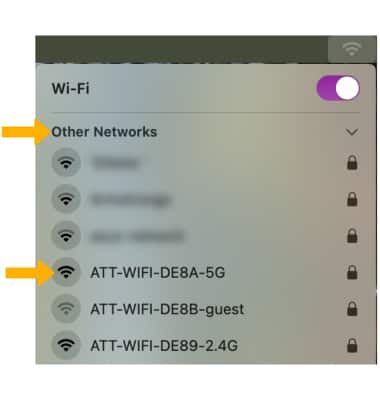
Wi-Fi icon in the top right corner of the screen.2. Click Other Networks, then click the Sonim MegaConnect's Wi-Fi network.
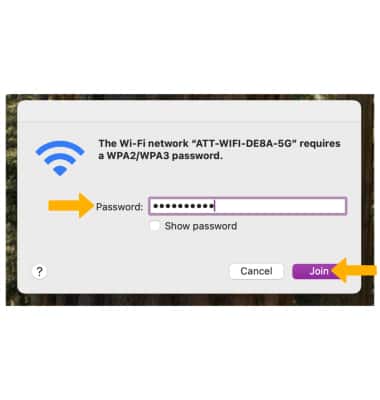
3. Enter the Password, then click Join. Your computer is now connected to the Wi-Fi network.
Note: The Wi-Fi name and password are displayed on the device. From the home screen, select Wi-Fi info.
Connect a PC to Wi-Fi
1. From your PC, click the  Connectivity icon on bottom right of the screen, then click the arrow next to the Wi-Fi icon.
2. Click the Sonim MegaConnect's Wi-Fi network.
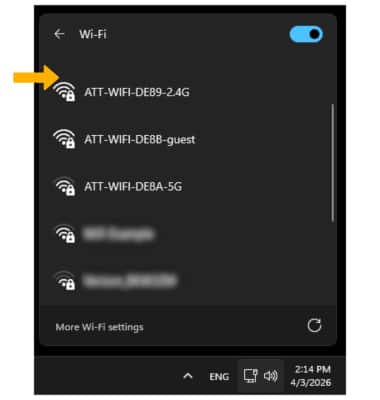
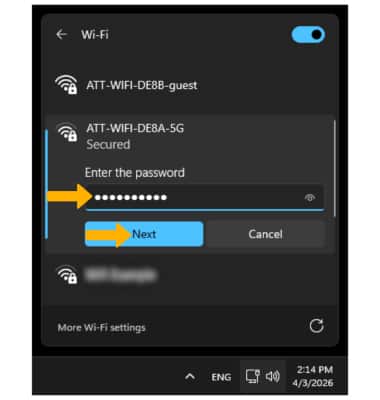
3. Enter the Password, then click Next. Your computer is now connected to the Wi-Fi network.
Note: The Wi-Fi name and password are displayed on the device. From the home screen, select Wi-Fi info.
Connectivity icon on bottom right of the screen, then click the arrow next to the Wi-Fi icon.2. Click the Sonim MegaConnect's Wi-Fi network.
3. Enter the Password, then click Next. Your computer is now connected to the Wi-Fi network.
Note: The Wi-Fi name and password are displayed on the device. From the home screen, select Wi-Fi info.