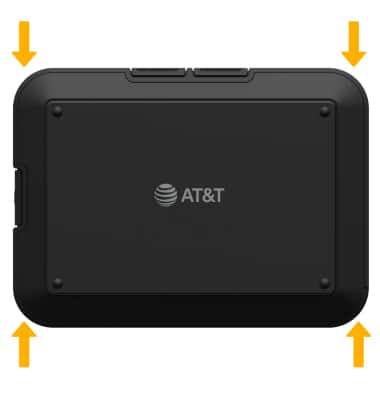

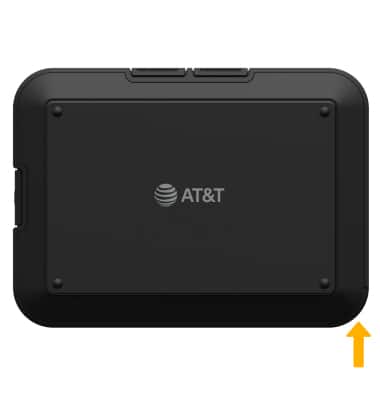
1. From the bottom of the device, use the notch on the bottom right side to lift the back plate up and off the device.
2. To remove the battery, gently lift from the notch at the bottom of the battery.
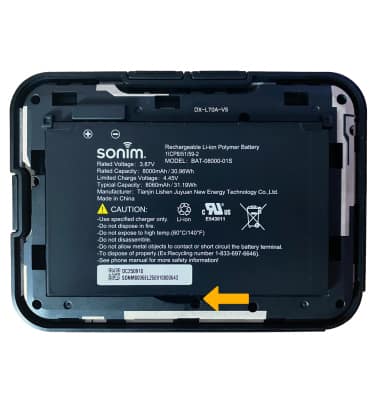
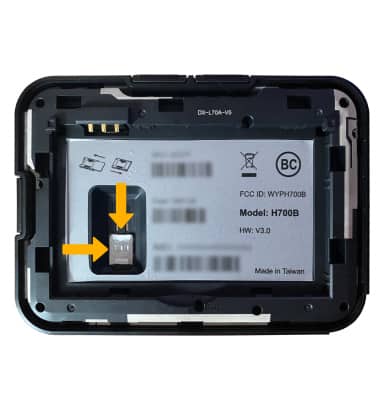
3. To insert the SIM card, put the nanoSIM card into the SIM slot with the gold contacts facing down and the notched edge on the bottom right.
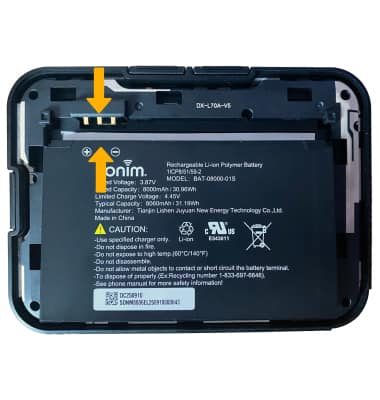
4. To insert the battery, line up the gold contacts at the top left of the battery with the gold contacts on the device and gently slide it in until the battery is in place.
5. Reattach the back plate by pressing it into place.