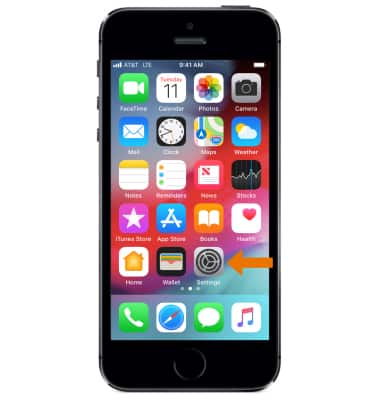
- From the home screen, select the Settings app.
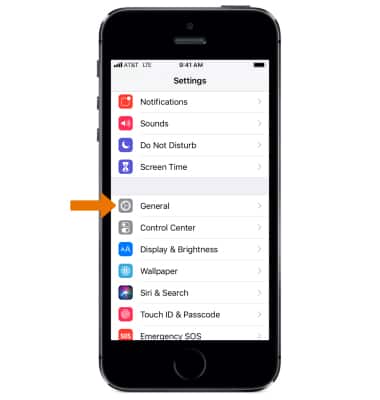
- Select General.
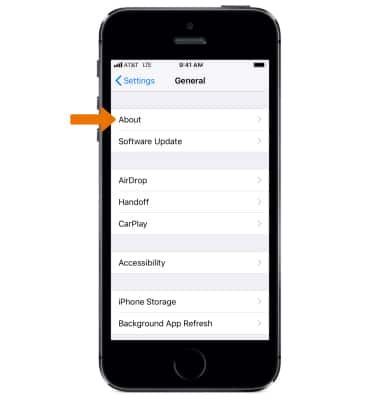
- Select About.
- Scroll down to view the Serial Number, IMEI, and ICCID information.
Note: Learn more from Apple support articles: Find the serial number and other information for your iPhone and Identify your iPhone model.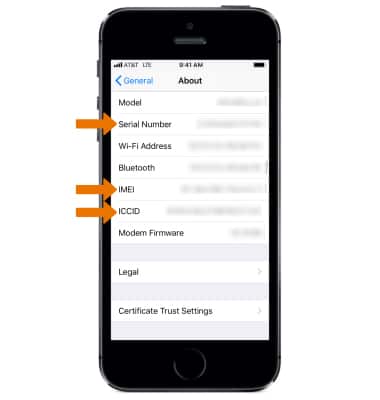
- Your IMEI is engraved on the back of the device, near the bottom.
Note: You can also view your IMEI by entering *#06# from the keypad.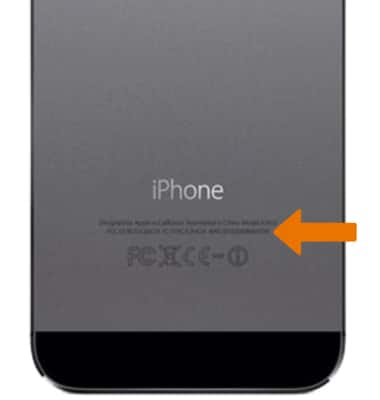
Find IMEI & Serial Number
Apple iPhone 5s
Find IMEI & Serial Number
View the device Serial, IMEI, and ICCID number.
INSTRUCTIONS & INFO