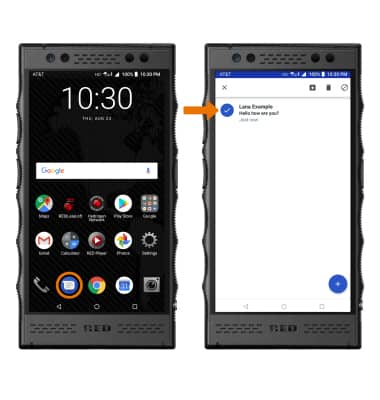
- BLOCK: From the home screen, select the Messages app then select and hold the desired message to block.
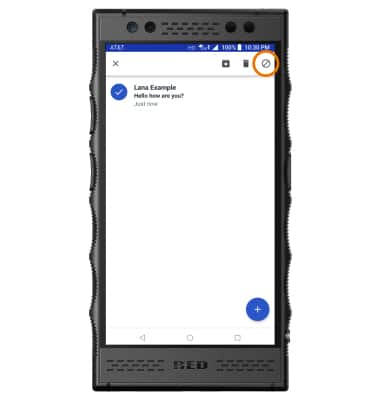
- Select the Block icon.
- Select BLOCK.
Note: To block a number through Settings, from the Messaging screen select the Menu icon > Blocked numbers > select the desired option then follow the prompts to block the desired number.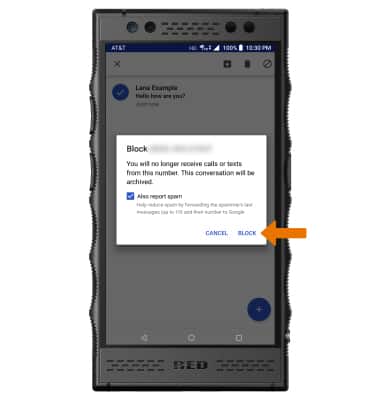
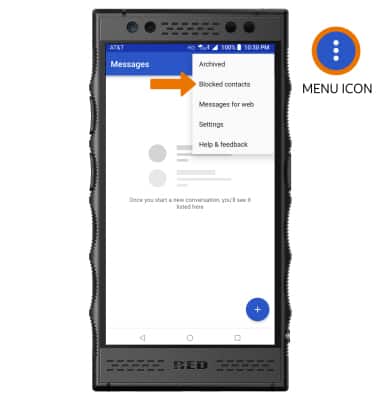
- UNBLOCK: From the Messaging screen, select the Menu icon then select Blocked contacts.
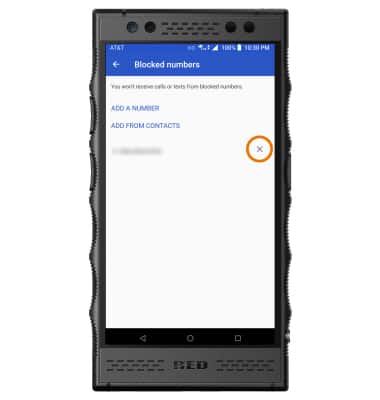
- Select the X icon next the desired number you wish to unblock.
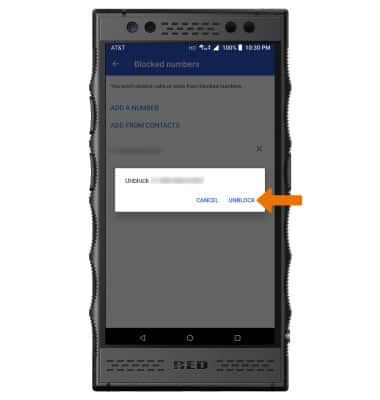
- Select UNBLOCK.
Block Messages
RED Hydrogen One (H1A1000)
Block Messages
Block, unblock contacts and messages from your device.
INSTRUCTIONS & INFO