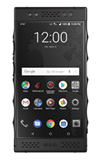
- ACCESS NOTIFICATIONS: Swipe down from the Notification bar. Notifications will be displayed.

- TURN ON/OFF ALL NOTIFICATIONS ON THE LOCK SCREEN: From the home screen select the Settings app, then select Apps & notifications.
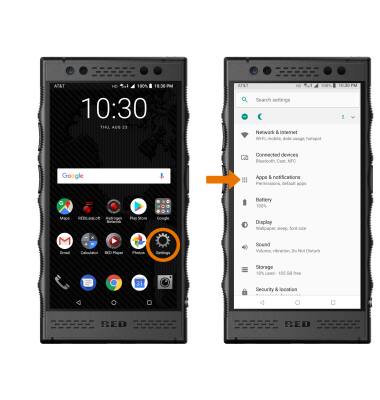
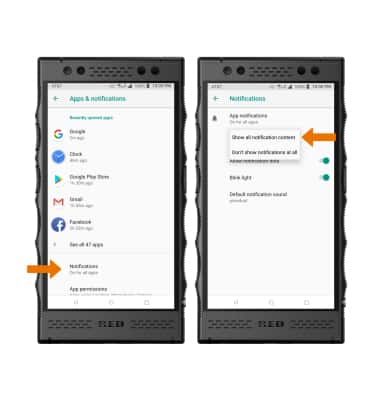
- Select Notifications > On the lock screen > desired option.
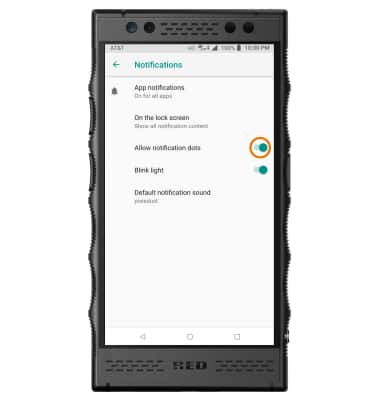
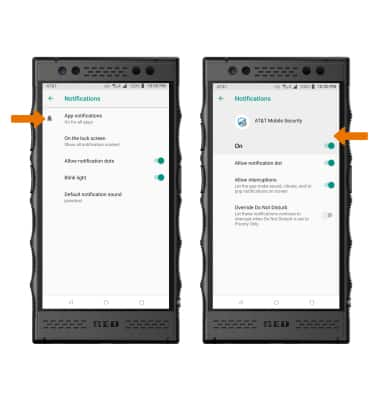
- TURN ON/OFF NOTIFICATION DOTS: From the Notifications screen, select the Allow notifications dots switch.
- TURN ON/OFF NOTIFICATIONS PER APP: From the Notifications screen, select App notifications > desired app > edit the Notification settings as desired.
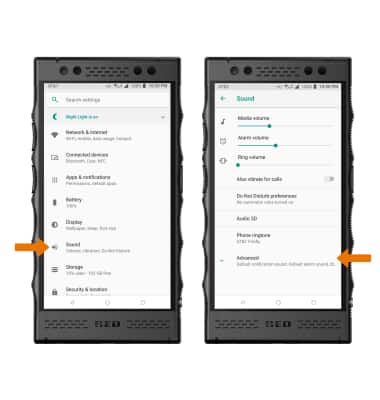
- CHANGE NOTIFICATION SOUND: From the Settings screen, select Sound then select Advanced.
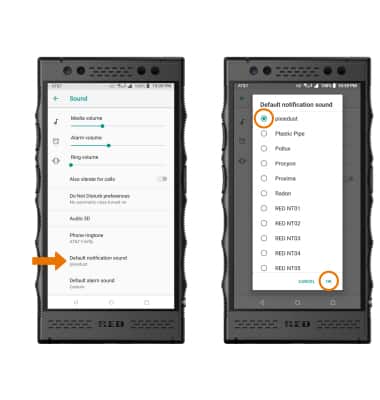
- Select Default notification sound. Select the desired option, then select OK.
Notifications
RED Hydrogen One (H1A1000)
Notifications
Learn how to access and adjust notification settings, turn notifications on or off, and change notification sounds.
INSTRUCTIONS & INFO