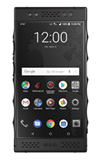
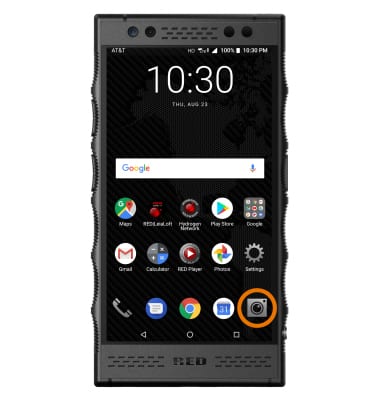
- From the home screen, select the Camera app.
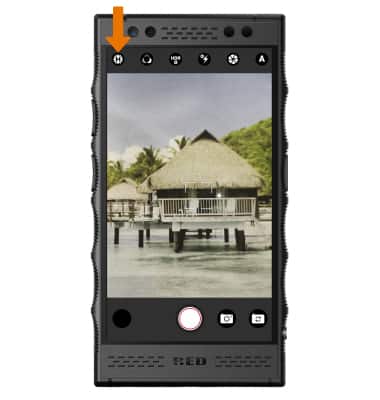
- ACCESS CAMERA SETTINGS: From the Camera app, select the Settings icon.
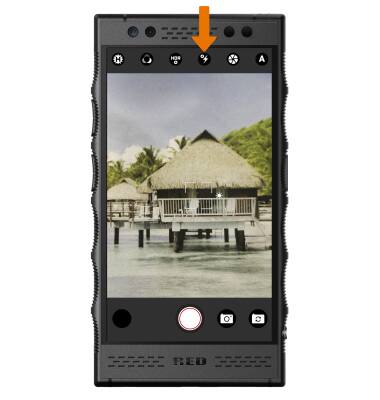
- TURN ON/OFF FLASH: From the Camera app, select the Flash icon until the desired option is shown.
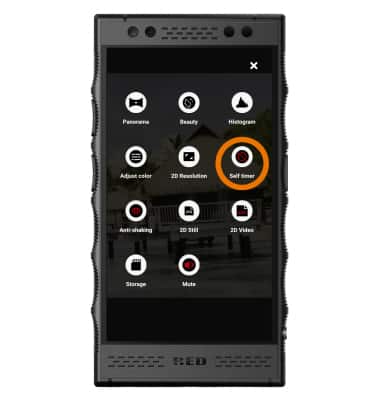
- SET A TIMER: From Camera settings, select the Self timer icon to set the desired timer.
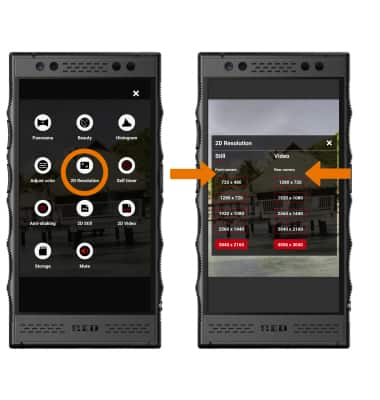
- CHANGE PICTURE SIZE: From Camera settings, select 2D Resolution then select the desired resolution size.
Camera & Video Settings
RED Hydrogen One (H1A1000)
Camera & Video Settings
Manage camera and video settings including flash, timer, picture size, and storage location.
INSTRUCTIONS & INFO