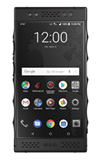
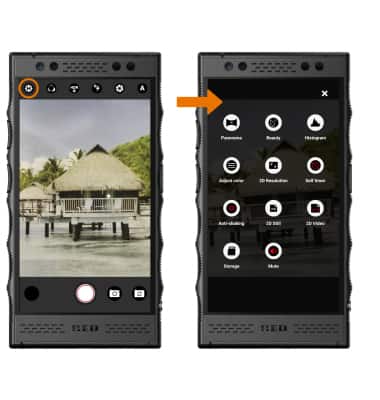
- ACCESS CAMERA MODES: From the Camera app, select the Settings icon to access modes such as Timelapse, Black & White, and Visual Effects. Select the desired mode.
Note: To access the Camera app, from the home screen select the Camera app.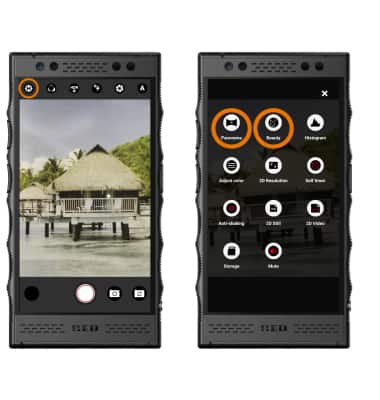
- CUSTOMIZE PHOTO/VIDEO SETTINGS: Select the Settings icon, then select the desired icon to edit settings as desired.
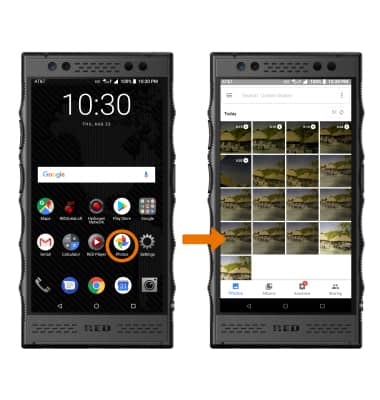
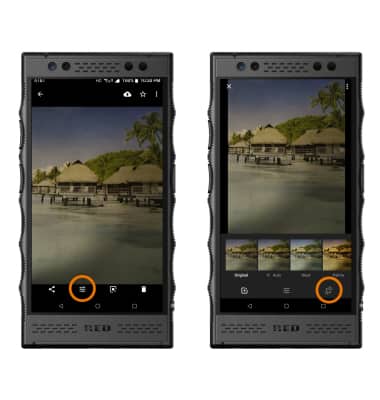
- CROP A PHOTO: From the home screen, select the Photos app then select the desired photo.
- Select the Edit icon, then select the Crop icon.
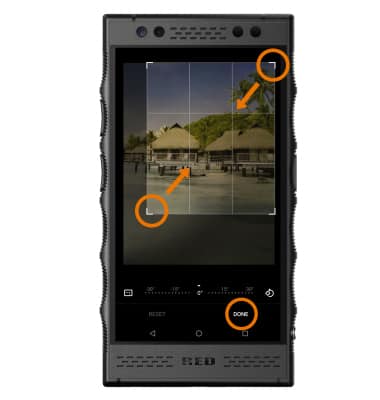
- Select and drag the crop corners to crop as desired, then select DONE.
Advanced Photo & Video Features
RED Hydrogen One (H1A1000)
Advanced Photo & Video Features
Learn how to access and use Camera modes, effects, customization, and crop a photo.
INSTRUCTIONS & INFO