- From the home screen, select the Camera app then select the Settings icon.
Note: Alternately, you can access the camera from the lock screen by selecting and dragging the Camera icon up.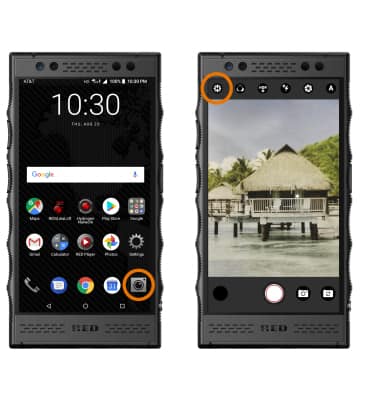
- SET STORAGE LOCATION: Select Storage to switch between phone storage and SD card storage.
Note: You can only switch to SD card storage if an SD card is installed in the device.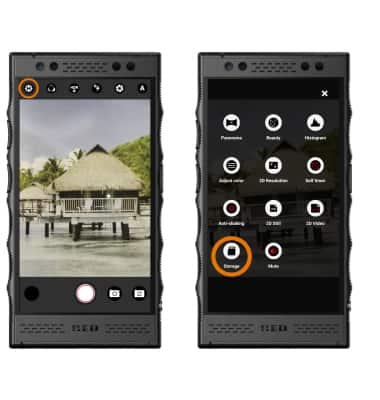
- ACCESS PHOTOS/VIDEOS: From the home screen, select the Photos app.
Note: Alternately, from camera app select the Photos preview icon on the bottom left of the screen. To access and view 4-View media, use the Red Player app.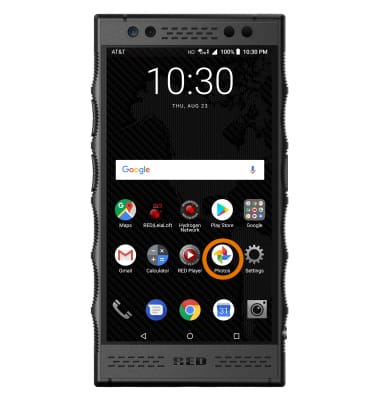
Access, Store Photos & Videos
RED Hydrogen One (H1A1000)
Access, Store Photos & Videos
Learn how to access and store photos and videos.
INSTRUCTIONS & INFO