- ACCESS EMAIL SETTINGS: Swipe up or down from the center of the home screen to access the Apps tray, then select the Email app.
Note: In order to access email settings, you must have already Set Up Email.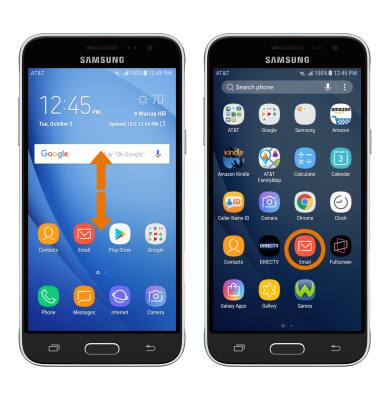
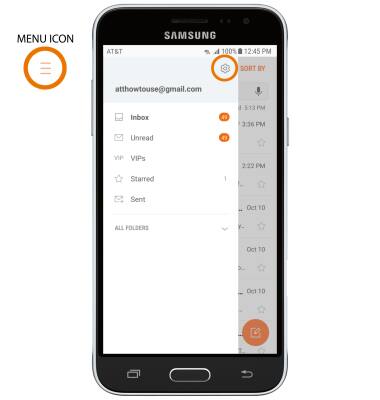
- Select the Menu icon, then select the Settings icon.
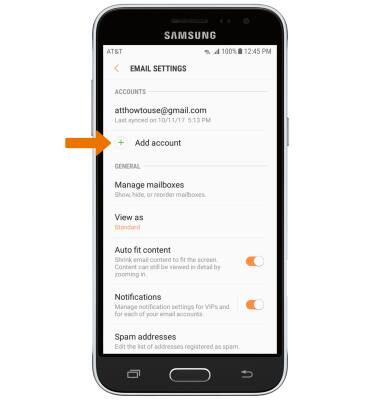
- ADD NEW ACCOUNT: Select Add account, then follow the on-screen prompts.
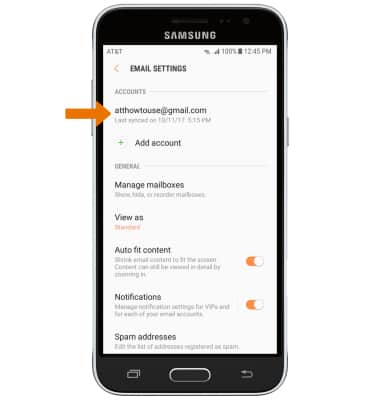
- EDIT EMAIL ACCOUNT SETTINGS: From the Email Settings screen, select the desired email account.
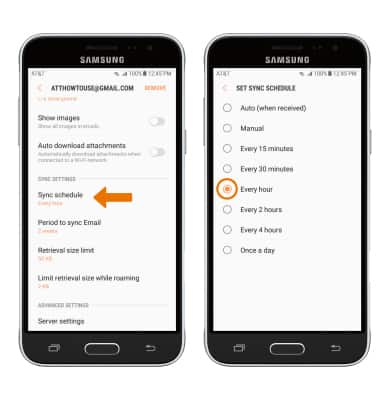
- EDIT SYNC SETTINGS: From the desired email account, scroll to and select Sync schedule > Set sync schedule > desired sync frequency.
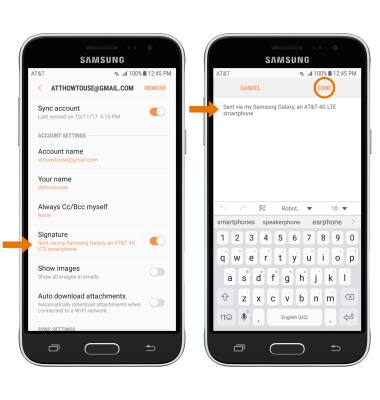
- ADD/EDIT SIGNATURE: From the desired email account, select Signature > adjust Signature as desired > select DONE.
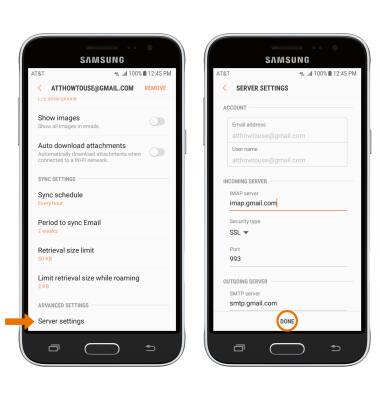
- CHANGE SERVER SETTINGS: From the desired email account, scroll to and select Server settings > edit Server settings as desired > DONE.
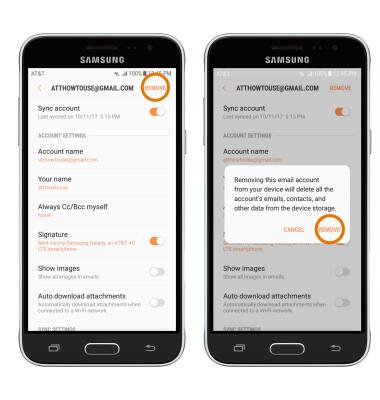
- REMOVE ACCOUNT: From the desired email account, select REMOVE then select REMOVE again to confirm.
Email Settings
Samsung Galaxy Express prime (J320A)
Email Settings
Manage email settings such as sync frequency, server settings, signature, deleting an email account, and more.
INSTRUCTIONS & INFO