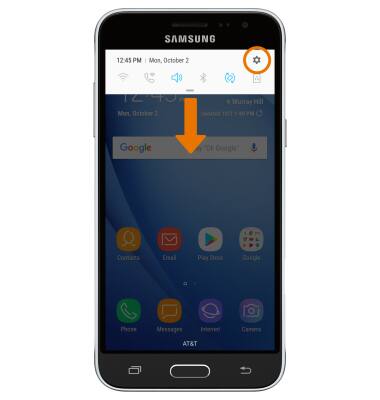
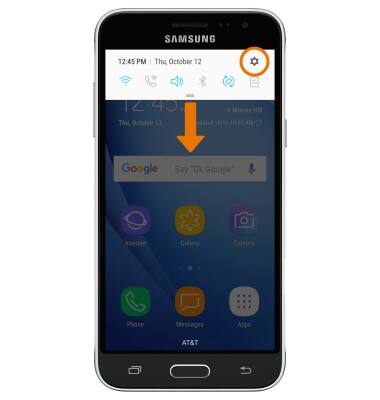
- ENABLE EASY MODE: Swipe down from the Notification bar, then select the Settings icon.
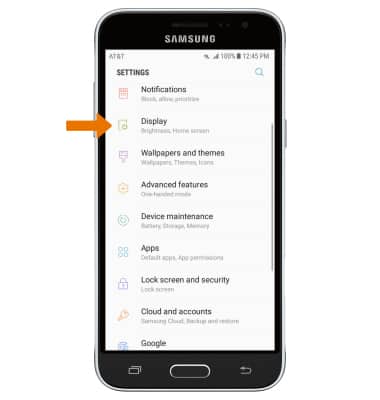
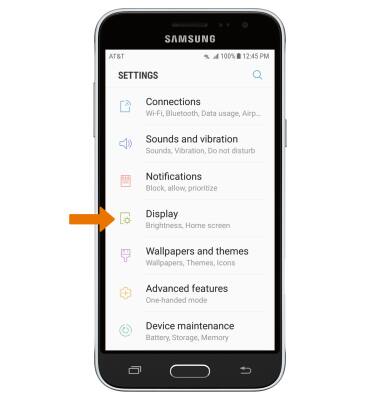
- Select Display.
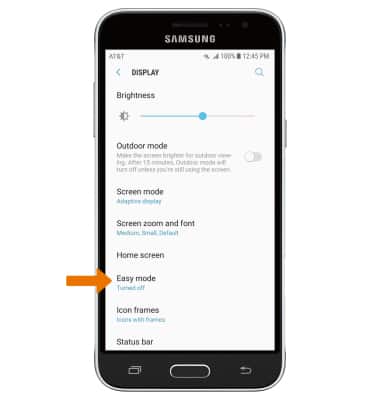
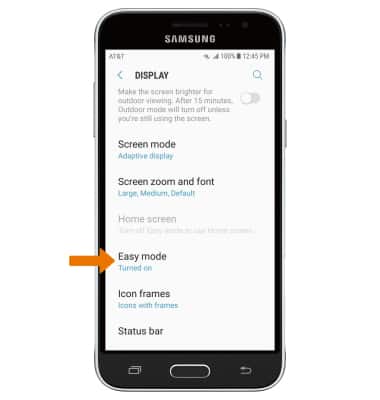
- Select Easy mode.
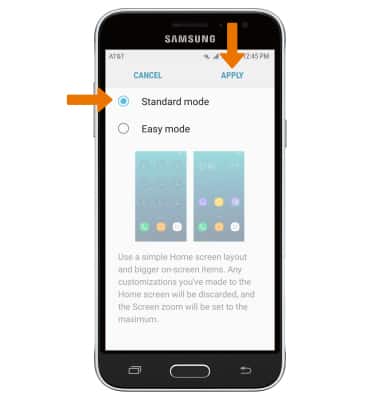
- Select the Easy mode circle, then select APPLY.
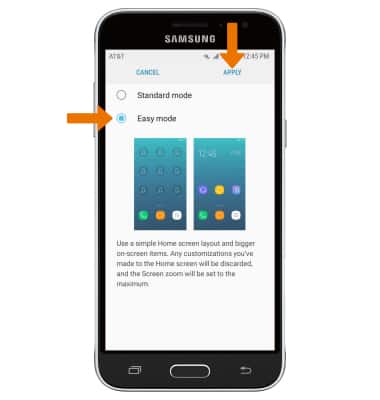
- Your device is now in Easy mode.
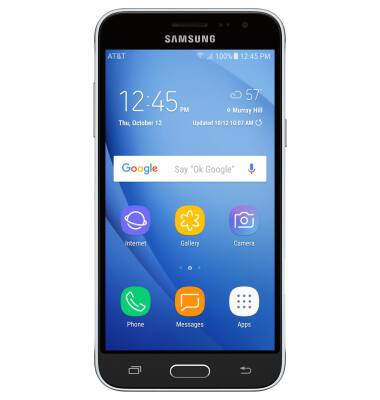
- ENABLE STANDARD MODE: Swipe down from the Notification bar, then select the Settings icon.
- Select Display.
- Select Easy mode.
- Select the Standard mode circle, then select APPLY.
Easy Mode
Samsung Galaxy Express prime (J320A)
Easy Mode
Switch between Easy Mode (changes your Home screen to a simpler experience for smartphone users) and Standard mode. Easy mode provides an easier interface with a simpler layout and larger font size.
INSTRUCTIONS & INFO