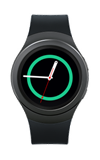
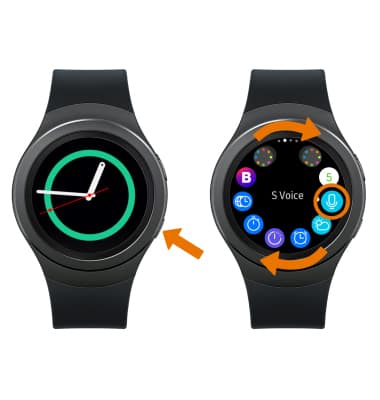
- ACCESS VOICE CONTROL (S VOICE): Press the Power/Home button. Rotate the bezel to and select the S Voice app.
- Select the Menu icon, then select the Voice wake-up icon.
Note: When Voice wake-up is enabled, you can say 'Hi Gear' from any screen or set up your own command to wake up S Voice.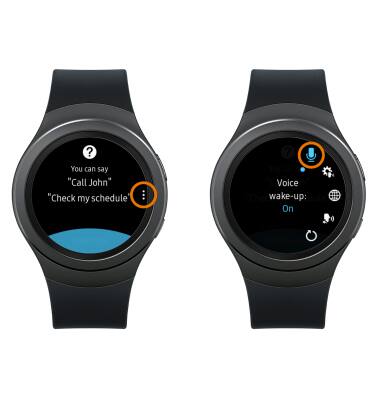
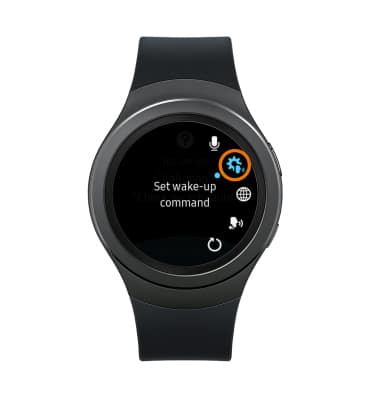
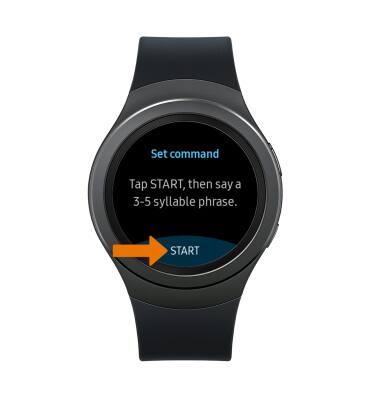
- SET A CUSTOM COMMAND: Select the Set Wake-up command icon.
- Select START.
- Say the desired command 4 times when Speak now appears on screen.
Note: Your command should be 3-5 syllables long.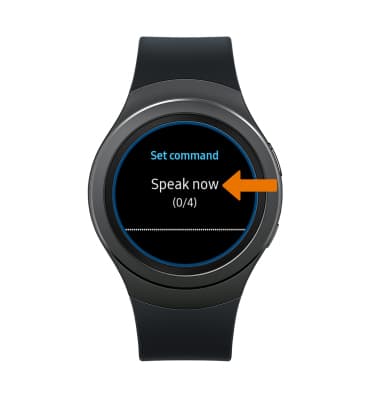
- USE S VOICE: Say the desired command when Speak now appears on screen.
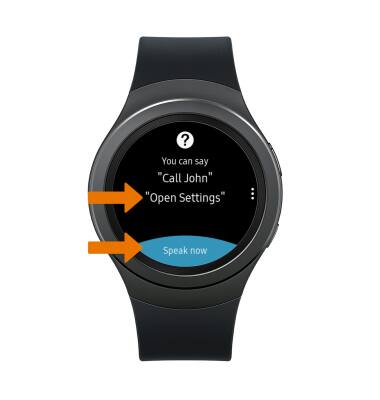
- MAKE A CALL WITH VOICE CONTROL: Say "Call (contact name)," then follow the prompts.
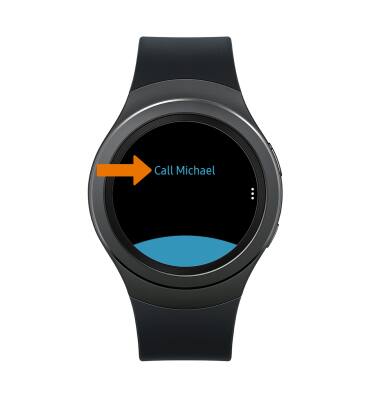
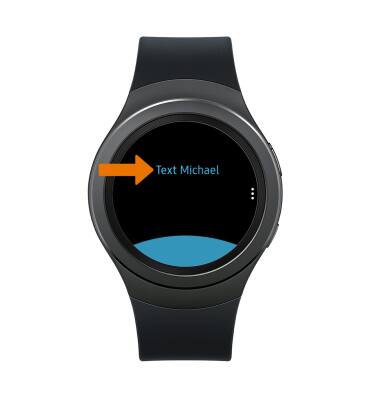
- SEND A MESSAGE WITH VOICE CONTROL: Say "Text (contact name)."
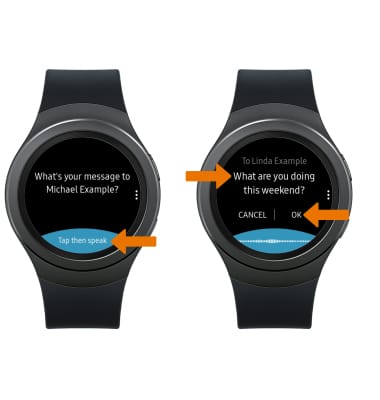
- When the "What's your message" prompt appears, select Tap then speak. Say your desired message, then select OK to send.
- ACCESS VOICE CONTROL SETTINGS: Select the Menu icon, then select desired option.
Note: Some supported S Voice languages include: English (United Kingdom, United States), Spanish (Spain, Latin America), German, French, Italian, Korean.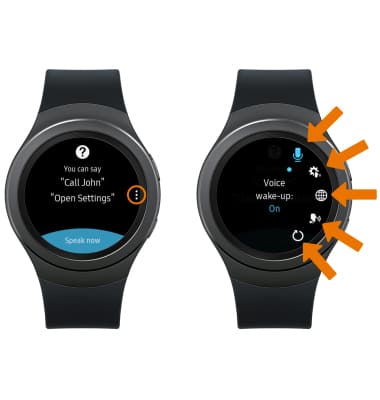
Voice Control
Samsung Gear S2 (R730A)
Voice Control
Use voice commands to control your device and access voice control settings.
INSTRUCTIONS & INFO