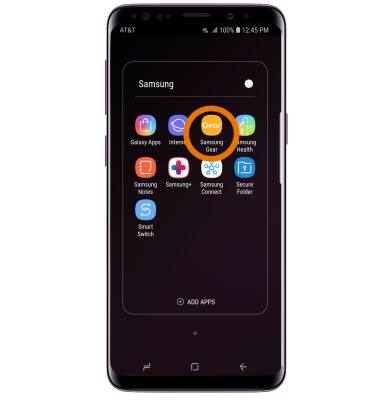
- To back up your Gear to your phone, from your connected device navigate to and select the Samsung Gear app.
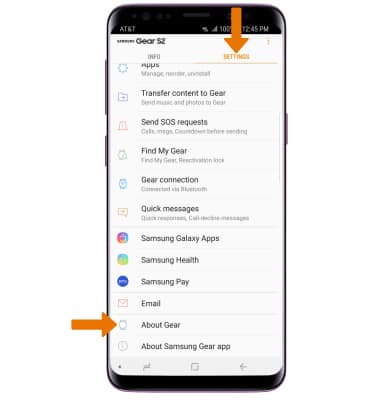
- Select the SETTINGS tab, then scroll to and select About Gear.
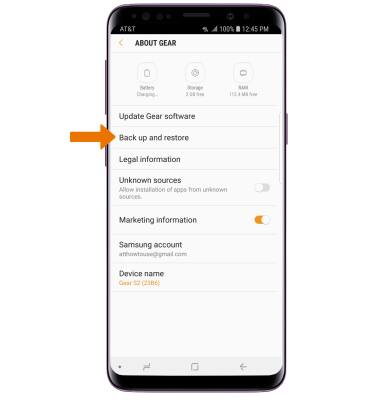
- Select Back up and restore.
- Select Back up data.
Note: This feature allows you to back up your Gear settings (except Remote connection, Auto lock and Text templates).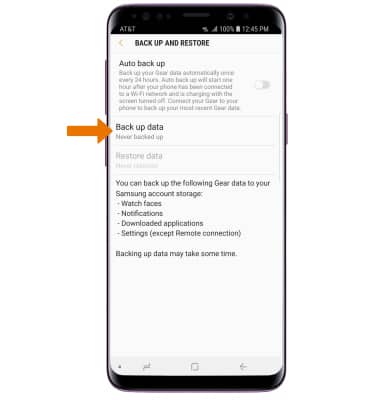
Backup & Restore Device
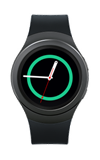
Samsung Gear S2 (R730A)
Backup & Restore Device
This tutorial shows how to backup and restore the device.
INSTRUCTIONS & INFO