
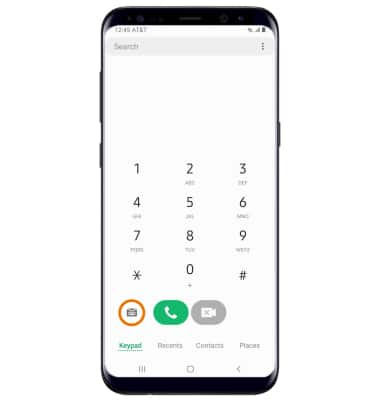
- From the home screen, select the Phone app.
- Select the Visual Voicemail icon.
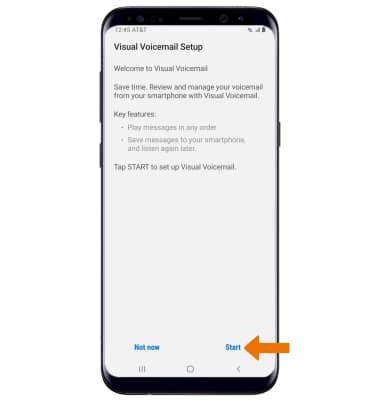
- Select Start.
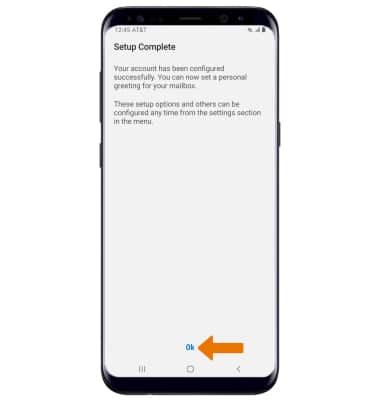
- Select Ok.
Note: View Access voicemail messages for tips to manage your voicemail. Go to Troubleshoot Voicemail for solutions to common voicemail problems.
Set Up Voicemail
Samsung Galaxy S8 / S8+ (G955U/G950U)
Set Up Voicemail
Set up voicemail, check messages, and change or reset password.
INSTRUCTIONS & INFO

Alternatively, you can set up voicemail by selecting the Phone icon, then selecting and holding the 1 key. If prompted, enter your voicemail password, then follow the prompts to set up your voicemail. If you have forgotten your existing voicemail password, you will not be able to access voicemail until you reset your voicemail password.