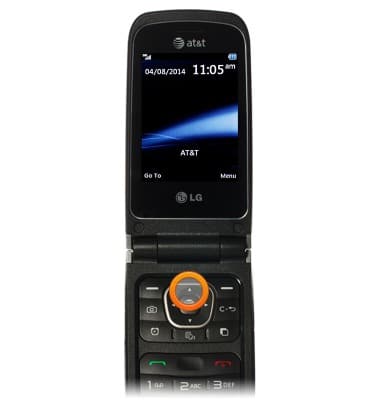
- From the home screen, press the Up Nav key.
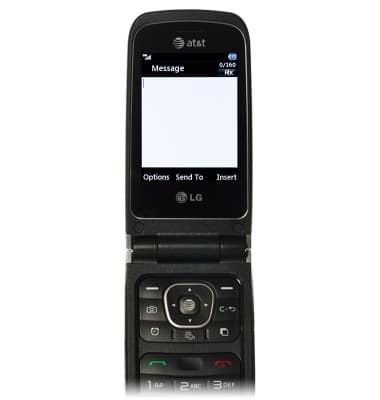
- Enter the desired message.
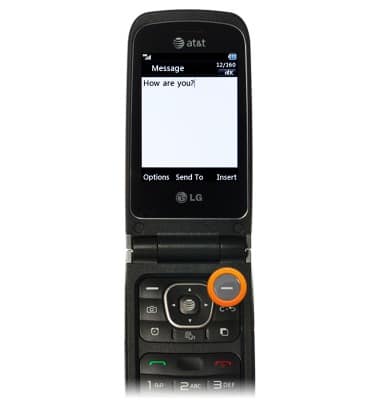
- Press the Right Soft key to add an attachment.
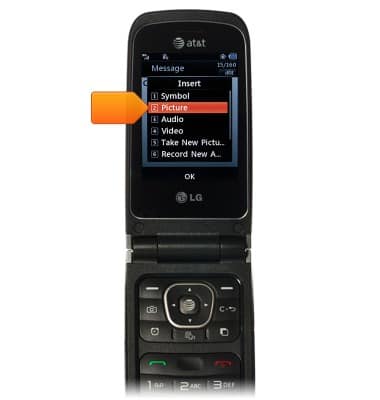
- Scroll to Picture, then press the Center Nav key.
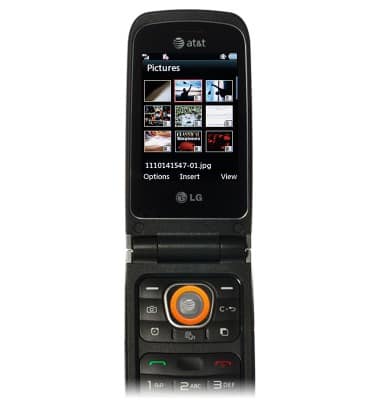
- Scroll to the desired image, then press the Center Nav key.
- Press the Center Nav key.
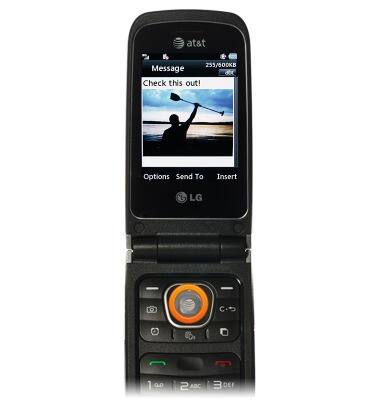
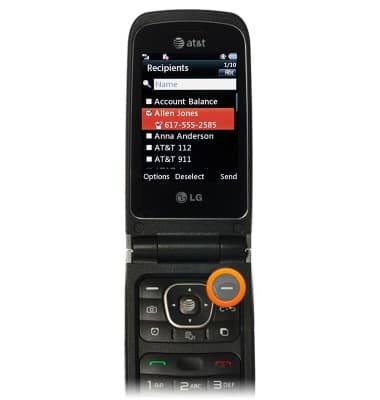
- Scroll to the desired contact, then press the Center Nav key.
Note: To select multiple contacts, scroll to each and press the Center Nav key once per contact.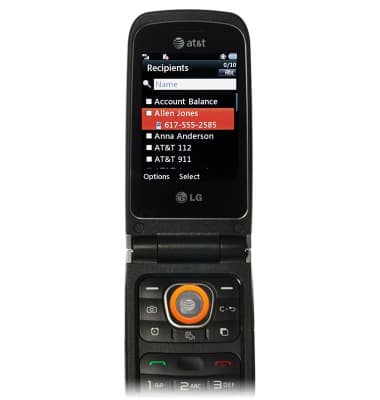
- Press the Right Soft key to send.
Send messages
LG A340
Send messages
Create and send a new text.
Text messaging
This video demonstrates how to send and receive text messages as well as how to send a photo via MMS.
Text messaging
1:33
INSTRUCTIONS & INFO