
- From the home screen, press the Right Soft key.

- Select Settings, then press the Center Nav key.

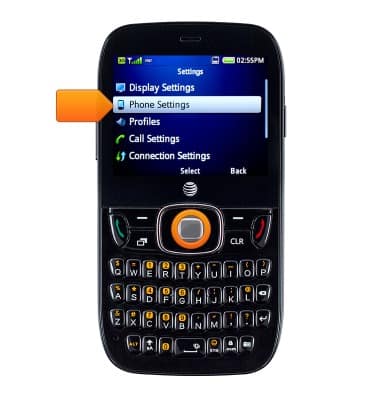
- Select Phone Settings, then press the Center Nav key.
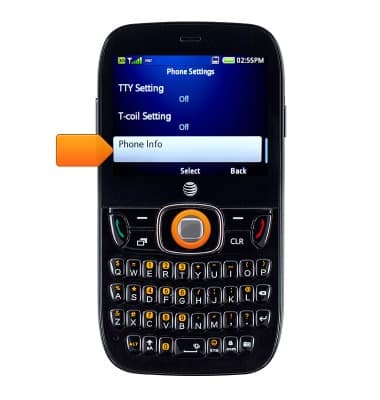
- Scroll to and select Phone Info, then press the Center Nav key.
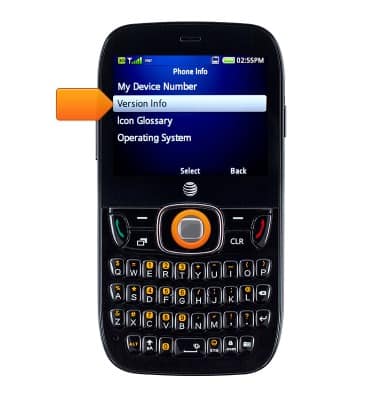
- Select Version Info, then press the Center Nav key.
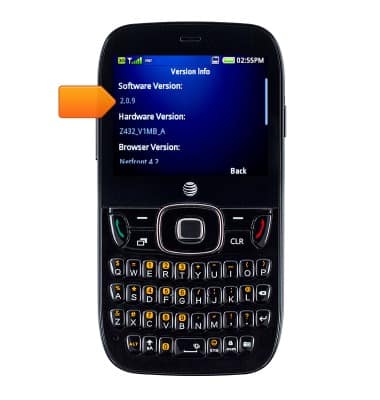
- Software Version is displayed.
- To check software updates, from the main menu screen, select Settings, then press the Center Nav key.

- Scroll to and select AT&T Software Updates, then press the Center Nav key.
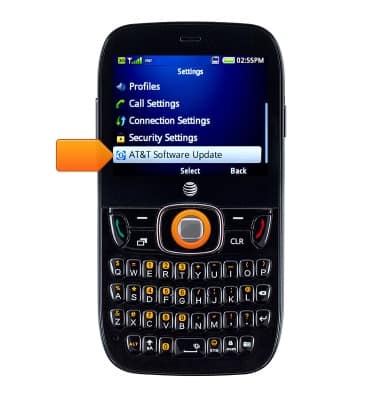
- Press the Center Nav key to confirm.
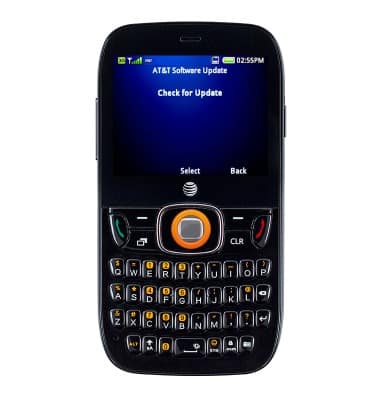
- If an update is available, follow the on-screen instructions to update your device, otherwise press the Center Nav key to confirm.

View device software version
ZTE Z432
View device software version
This article describes how to locate and update the software version.
INSTRUCTIONS & INFO