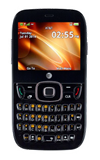
- From the home screen, press the Right Soft key.

- Select Navigator, then press the Center Nav key.

- Press the Left Soft key to accept.

- Select the desired option, then press the Center Nav key.
Note: For this demonstration, 'No, Skip Tour' was selected.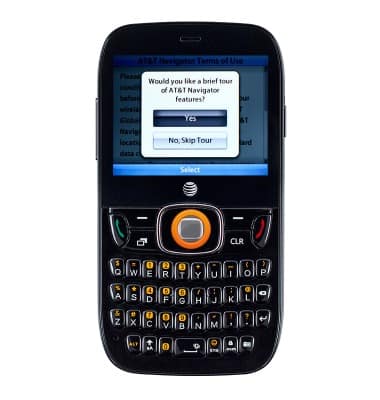
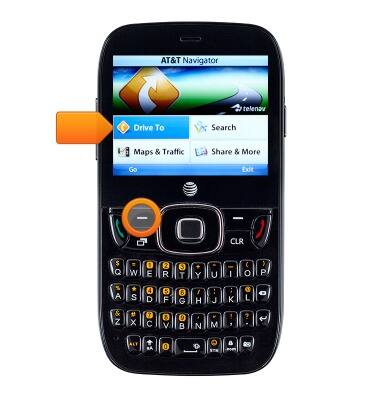
- To get directions, select Drive to, then press the Left Soft key.
- Select the desired option, then press the Left Soft key.
Note: For this demonstration, 'Address' was selected.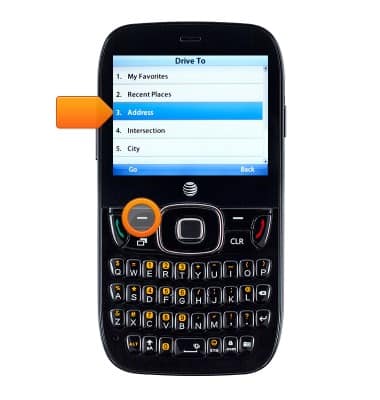
- Select the desired option, then press the Left Soft key.
Note: For this demonstration, 'Type it' was selected.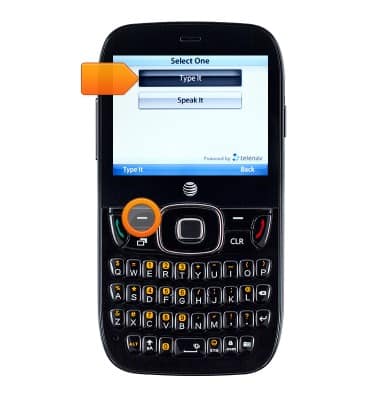
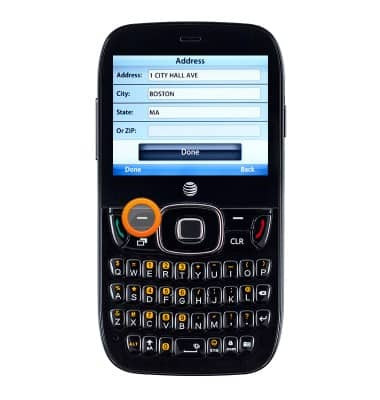
- Select the Address, City, State fields, then enter the desired destination.
Note: Alternatively select the 'ZIP field', then enter the desired zip code.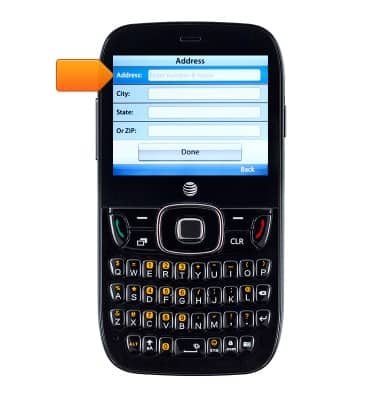
- Press the Left Soft key to confirm, then follow the navigation prompts.
AT&T Navigator
ZTE Z432
AT&T Navigator
How to access AT&T Navigator.
INSTRUCTIONS & INFO